Label Creator Chrome Plugin
Browser extension for Odoo that works together with Label Creator. The plugin reads data from Odoo and sends it to Label Creator, which generates labels and handles printing or PDF export.
Chrome extension for Odoo - it is not an Odoo module and does not work as a standalone product. To generate or print labels, you need active, configured Label Creator.
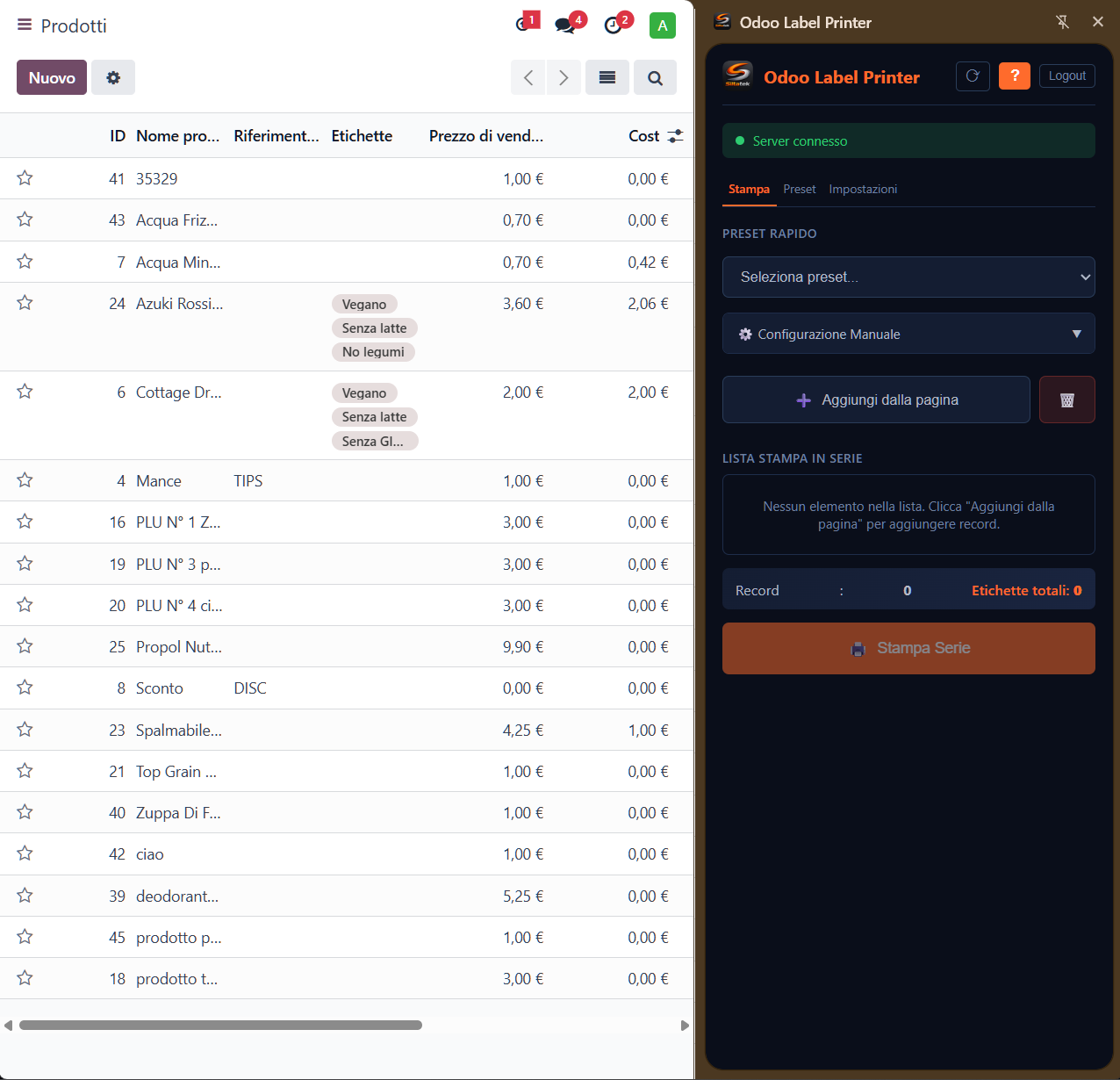
The Chrome plugin is free and complete. Generating and printing labels requires the free Label Creator for Windows to be running and configured.
As simple as a click
From the item in Odoo to the label ready, in seconds
Navigate in Odoo
Open a product, a sales order or an item list as you normally do in Odoo.
Click on the Plugin
The extension recognizes the data from the Odoo page and sends it to Label Creator, which generates the label using professional templates.
Choose what to do
Print directly to your workstation printer or download the PDF to save it or print it wherever you prefer.
The Label Creator extension for Odoo
The Label Creator Chrome Plugin extends Label Creator directly into the Odoo web interface. No need to open other programs: everything happens in the browser, transparently.
No application switching
You stay inside Odoo. The plugin handles everything in the background, without interrupting your workflow
Print or save as PDF
Print directly or receive the label PDF to save it, share it or print it from another device
Every operator, their own workstation
Each user chooses their own printer and preferred templates. No conflicts, no complicated configuration
Your Label Creator templates
Use the same professional templates you create with Label Creator, available to all company users
Designed for those who use Odoo every day
Concrete features that speed up daily work
Ready in one minute
Install the extension, enter the address of your already configured Label Creator, and you are ready to work.
Shared templates
Use templates created with Label Creator. All operators access the same models, always up to date.
Print or download PDF
Send directly to print or download the PDF to save it, forward it or print it from wherever you want.
Reads data from Odoo
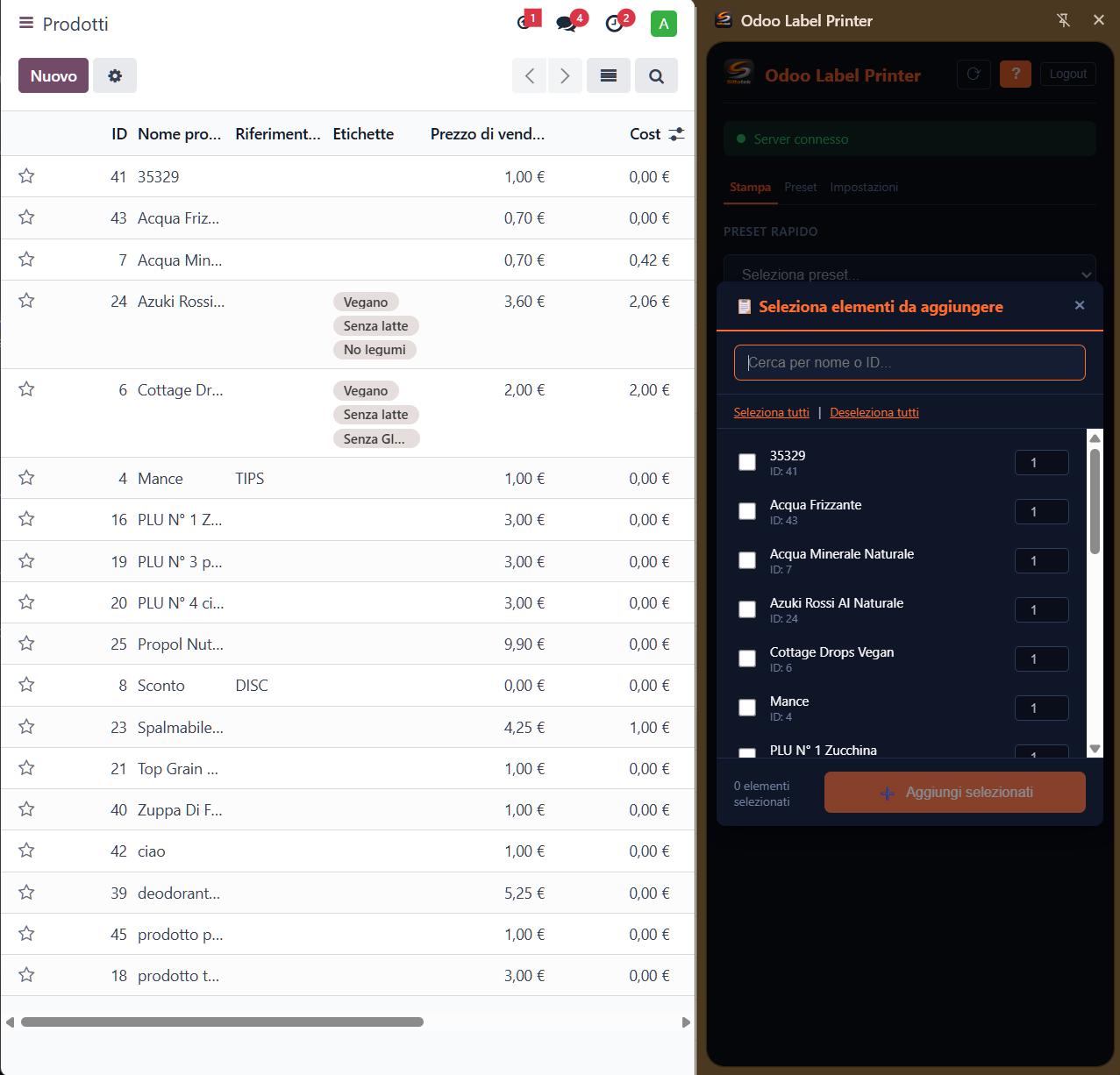
The plugin automatically recognizes products, orders and lists from the Odoo page you are on.
Set the copies
Choose how many labels to print for each item before confirming. Simple and fast.
Multi-workstation
Each operator works from their own workstation with their own printer, without installing anything locally.
Works with any Odoo — No module required
No Odoo module installation required. The Siltatek Label Creator Chrome Plugin is a browser extension, not an Odoo module or app. It works directly with the Odoo web interface, whatever your configuration: Odoo Online (SaaS), Odoo.sh or On-Premise.
Odoo Online
SaaS version managed by Odoo
Odoo.sh
Odoo cloud platform
On-Premise
Installation on your own server
Works wherever there is a browser
No native app to install. The plugin runs on any Chromium browser, on any operating system
Windows, Mac, Linux
The operating system does not matter: if you have a Chromium browser, you can print labels from Odoo.
Also on Chromebook
Ideal for lightweight workstations: a Chromebook is enough to manage label printing in the warehouse.
Browser extension only
The operator's computer only needs the browser extension; generation, templates, and printers remain managed by Label Creator.
Compatible Chromium browsers
The plugin works on all Chromium-based browsers
Google Chrome
The reference Chromium browser
Microsoft Edge
Chromium-based, pre-installed on Windows
Opera
Supports Chrome extensions
Vivaldi
Highly customizable Chromium browser
Printing goes through Label Creator
The plugin connects to your Label Creator via API. The browser sends the request, the server generates the label and sends it to the workstation printer. Works on any OS because all the printing logic is server-side.
Part of the Label Creator ecosystem
The Label Creator Chrome Plugin relies on Label Creator to generate labels. Create templates with Label Creator, publish them on the server and all operators can use them directly from Odoo.
Create the template once
Design the label with Label Creator and publish it. From that moment everyone can use it
One server, many workstations
Label Creator manages templates and printers centrally. The plugin connects and does the rest
Secure and reliable
Data travels only between your browser and your server. No external services involved
Frequently Asked Questions
Everything you need to know about the Label Creator Chrome Plugin
Important: the view must be in column mode and have the ID column included; if not present/available it must be added for example via Odoo Studio (1 minute).
Important: the view must be in column mode and have the ID column included; if not present/available it must be added for example via Odoo Studio (1 minute).
Print Labels from Odoo Without Modules
Printing labels from Odoo should not require modules, database changes, or an IoT box. Label Creator Chrome Plugin installs in seconds and prints product, barcode, and shipping labels directly from the Odoo web interface.
Unlike Odoo label-printing modules, the plugin does not touch your Odoo instance: no database changes, no administrative access, and no server-side maintenance when you upgrade Odoo. Data is read from the web page and sent to Label Creator, which generates labels from templates created with Label Creator.
You can print to printers configured in Label Creator or export a PDF. It works with Chrome, Microsoft Edge, Opera, and Vivaldi and is especially suitable for Odoo Online, where custom modules cannot be installed.
Useful Resources
The links that actually matter to get started: download, FAQ, product page, and direct contact.
Downloads
Download Label Creator freeware 1.0.0 and the free Chrome plugin 1.0.4. Windows installer, ZIP, instructions, changelogs and SHA-256 checksums. SiltaFlow also available.
FAQ
Frequently asked questions about payments, licenses, refunds, technical support and Siltatek account management.
Label Creator
Label Creator for Windows: complete proprietary freeware for labels, barcodes, data connectors, printing and Server API. No trial or activation.
Contact Us
Contact us for support, questions or requests about Siltatek software for Odoo ERP. Fill out the form and we'll get back to you as soon as possible.
Complete and free
The Chrome plugin is free and complete. Generating and printing labels requires the free Label Creator for Windows to be running and configured.
Proprietary SiltaTek freeware, not released under an open-source license. Free availability does not change intellectual property ownership: all rights remain with their respective owners.
Previous Label Creator and plugin versions are retired: migration to the new free versions is mandatory. Label Creator starts a new freeware series at 1.0.0; the plugin moves to 1.0.4.
Updates are checked at startup and every 6 hours. You can work offline when no mandatory update is already known; a previously detected requirement remains active offline until the required update is installed.
Download the free plugin