API Server
Start an integrated REST API server to generate labels from external applications, Android apps, Chrome plugins and custom integrations. Includes a complete web dashboard with user management, monitoring and API Explorer.
Control Panel
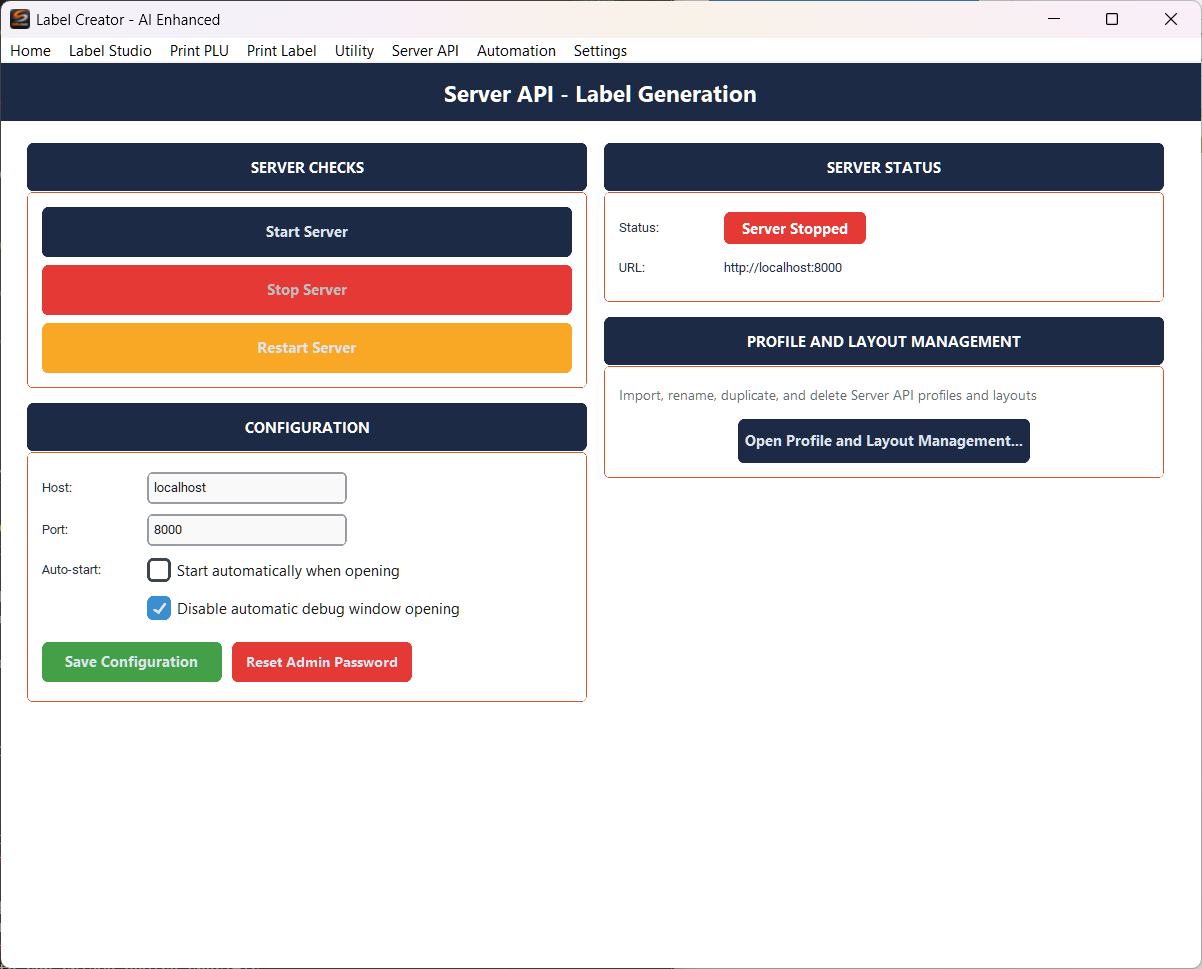
The control panel in Label Creator allows you to start, stop and configure the API server.
Server Checks
- Start Server — Start the API server
- Stop Server — Stop the server
- Restart Server — Restart the server
Configuration
- Host — Address the server listens on (default: localhost)
- Port — Server port (default: 8000)
- Auto-start — Automatically start the server when the screen opens
- Disable automatic debug window opening — Do not open the debug window on startup
- Save Configuration — Save the settings
- Reset Admin Password — Reset the administrator password
Server Status
Shows the current server status (Started/Stopped) and the URL to access the web dashboard.
If you expose the server on an address other than localhost (e.g. 0.0.0.0), it will be reachable from other devices on the network. Make sure to configure proper users and permissions before opening network access.
Profile and Layout Management
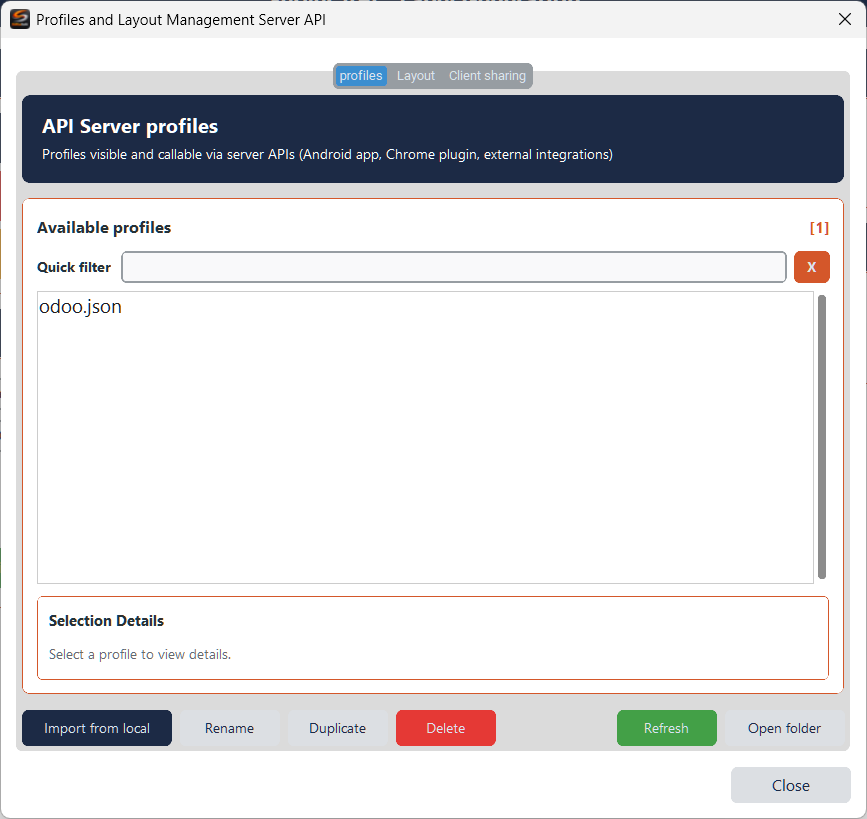
Import, rename, duplicate and delete profiles and layouts made available through the server APIs.
API Server profiles
Profiles visible and callable via API (Android app, Chrome plugin, external integrations). Quick filter for fast searching. Buttons: Import from local, Rename, Duplicate, Delete, Refresh, Open folder.
Layout Server API
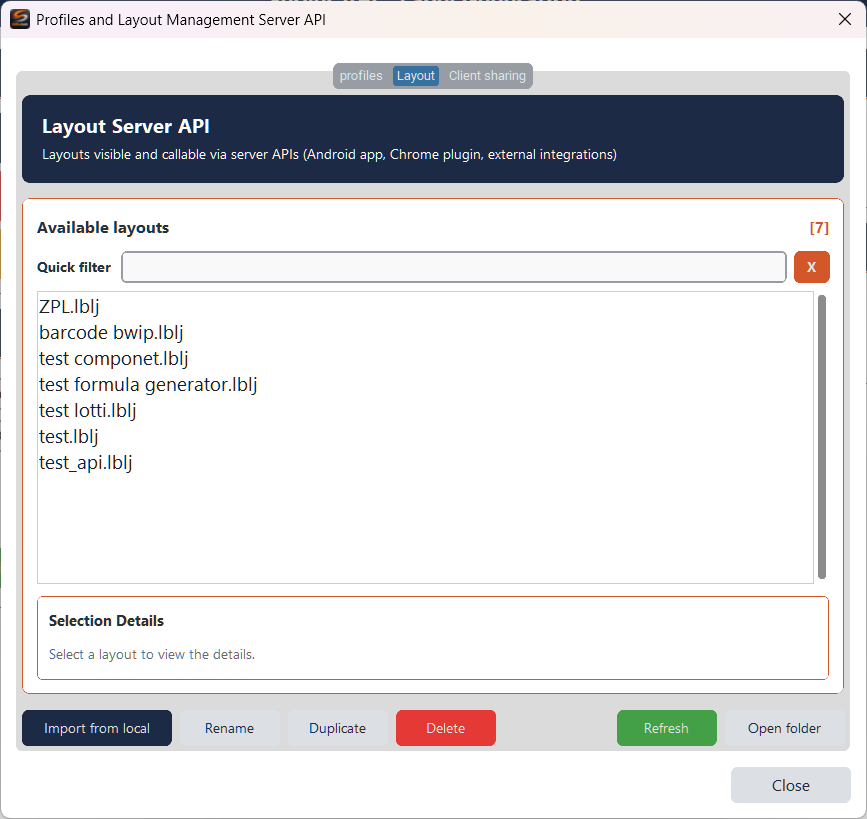
Layouts visible and callable via API. Same controls as the profiles tab.
Client sharing
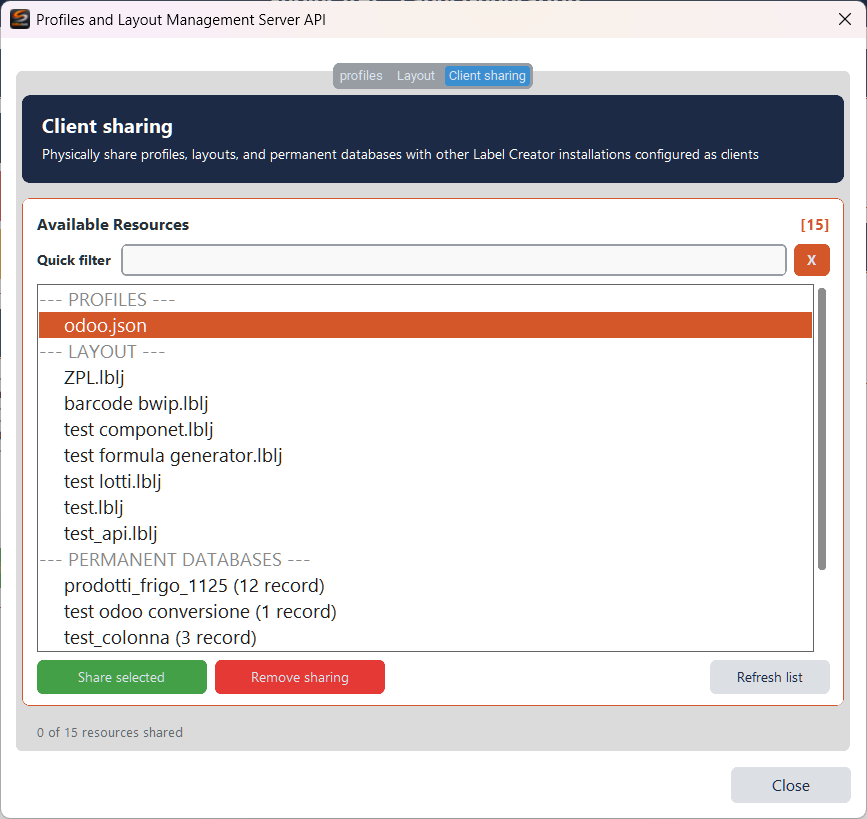
Physically share profiles, layouts and permanent databases with other Label Creator installations configured as clients. Select the resources and click Share selected to share them or Remove sharing to revoke sharing.
Web Dashboard

Once the server is started, access the web dashboard from your browser. The welcome page features four main sections:
- Administration — User management, custom permissions, page configuration and system statistics
- System Monitoring — Server performance, service status and real-time usage statistics
- API Explorer — Interactively explore and test all REST APIs with the integrated Swagger interface
- Guide and Documentation — Usage guides, practical examples and troubleshooting
Server Monitoring
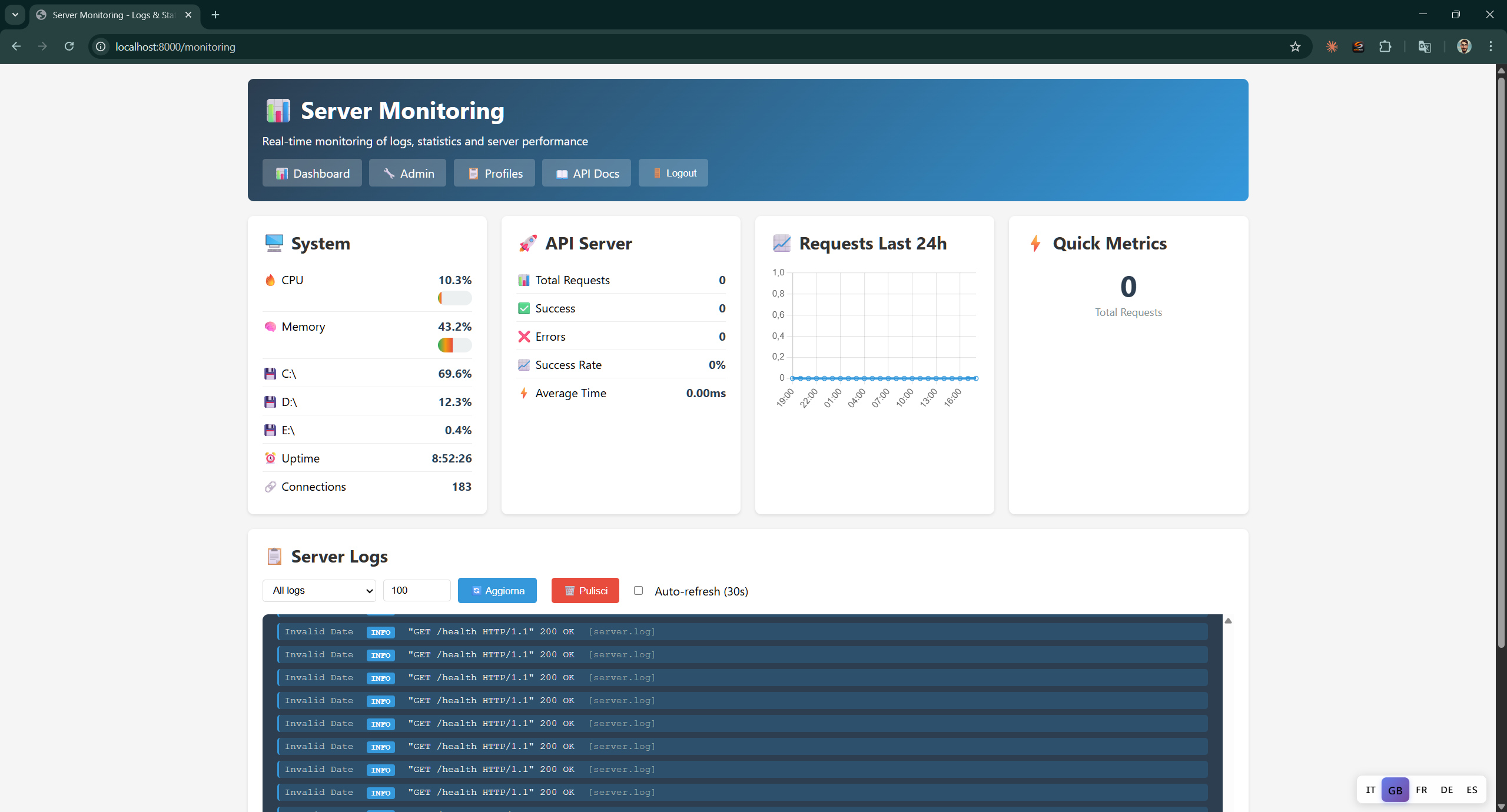
Real-time monitoring of logs, statistics and server performance.
The monitoring dashboard updates in real time. Keep it open during critical operations to check server status and identify any errors.
System
System metrics: CPU, Memory, disk I/O, Uptime and active connections.
API Server
API statistics: total requests, successes, errors, success rate and average response time.
Requests Last 24h
Chart of requests over the last 24 hours with Quick Metrics for total requests.
Server Logs
Server logs with filters by level and type. Buttons Approve, Freeze and API Docs to manage the logs. Auto-refresh available.
User Management
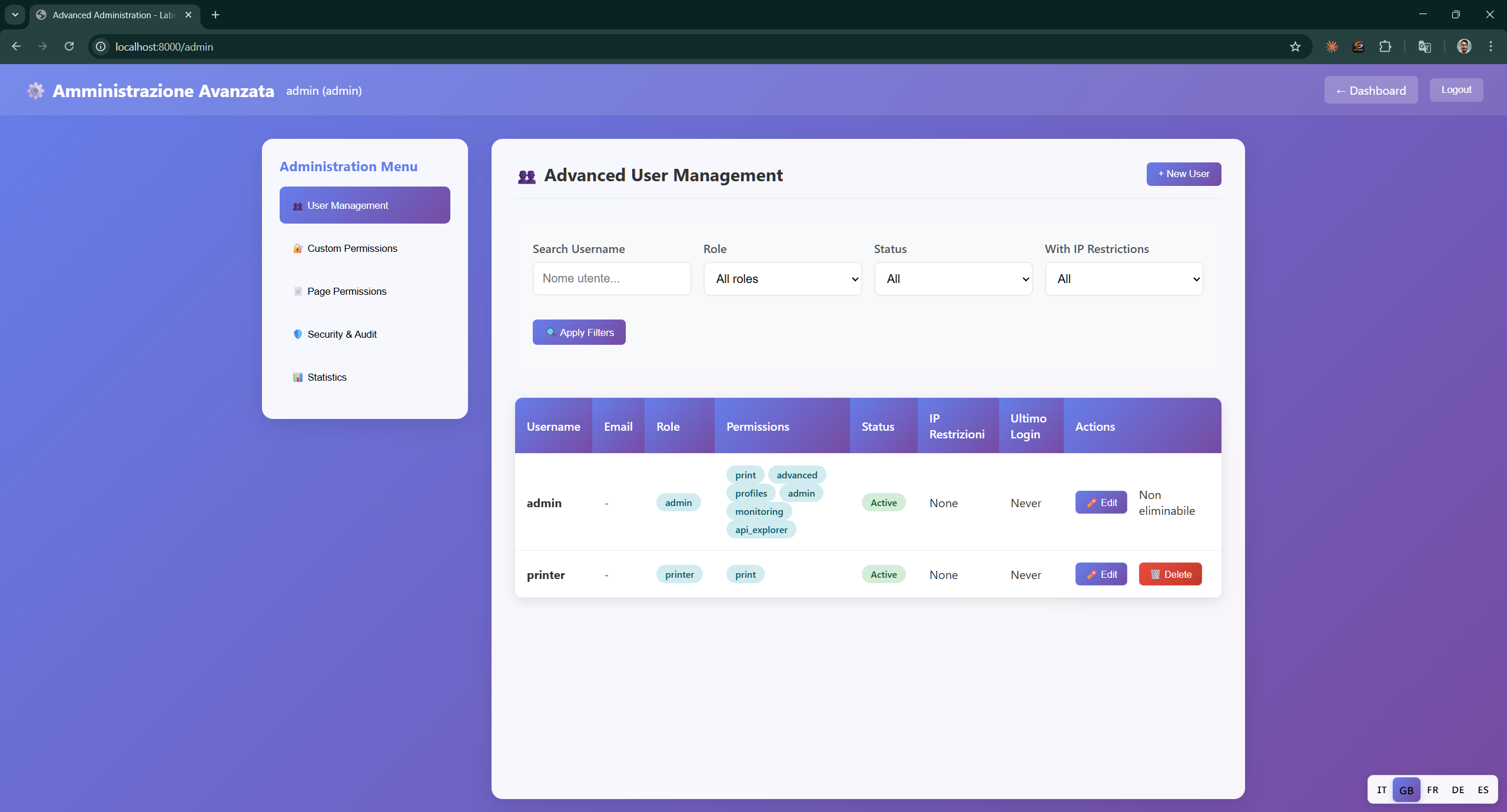
Advanced user management with roles, permissions and IP restrictions.
- User list — Table with Username, Email, Role, Permissions, Status, IP Restrictions, Offline Login and Actions
- Filters — Filter by username, role, status and IP restrictions
- New User — Create a new user
- Edit — Edit existing user
- Delete — Delete user
Edit user
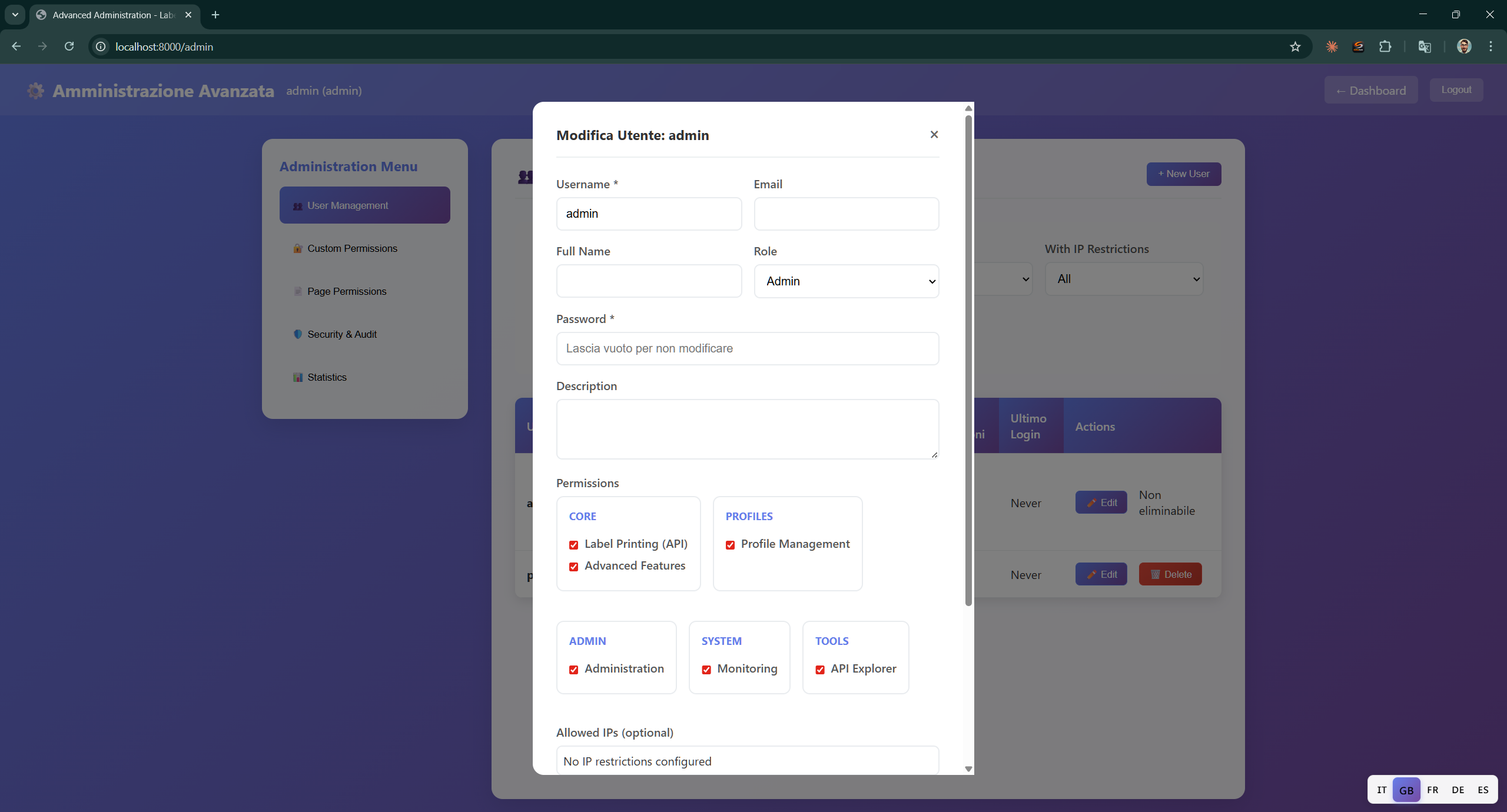
Edit user details: username, email, full name, role, password, description and IP restrictions.
Permissions organised by category:
- Core — Label Printing (API), Advanced Features
- Profiles — Profile Management
- Admin — Administration
- System — Monitoring
- Tools — API Explorer
API Explorer

Integrated Swagger interface to interactively explore and test all REST APIs of the Label System.
- Server status — Server Online with URL, Health Check, Webhooks and OpenAPI version
- Authorize — Authenticate API requests
- Endpoints — All endpoints grouped by category (authentication, label generation, etc.)
Authentication
Endpoints for login, logout, session management and permission verification. Each endpoint shows the HTTP method (POST/GET), path, parameters and expected responses.
Label Generation API
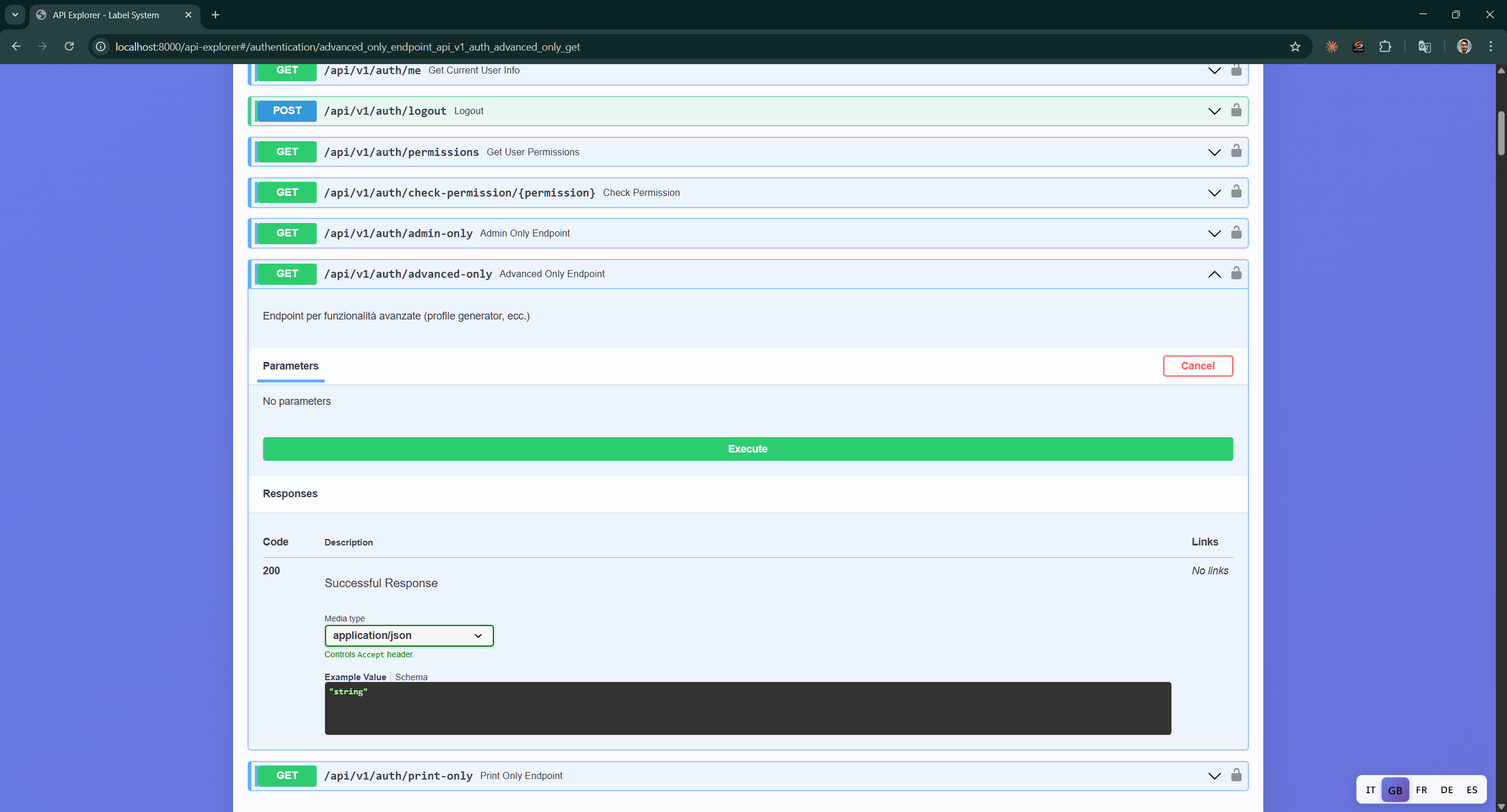
Endpoints for label generation. Each endpoint expands to show parameters, an Execute button and responses with sample code and body.
Page Permissions
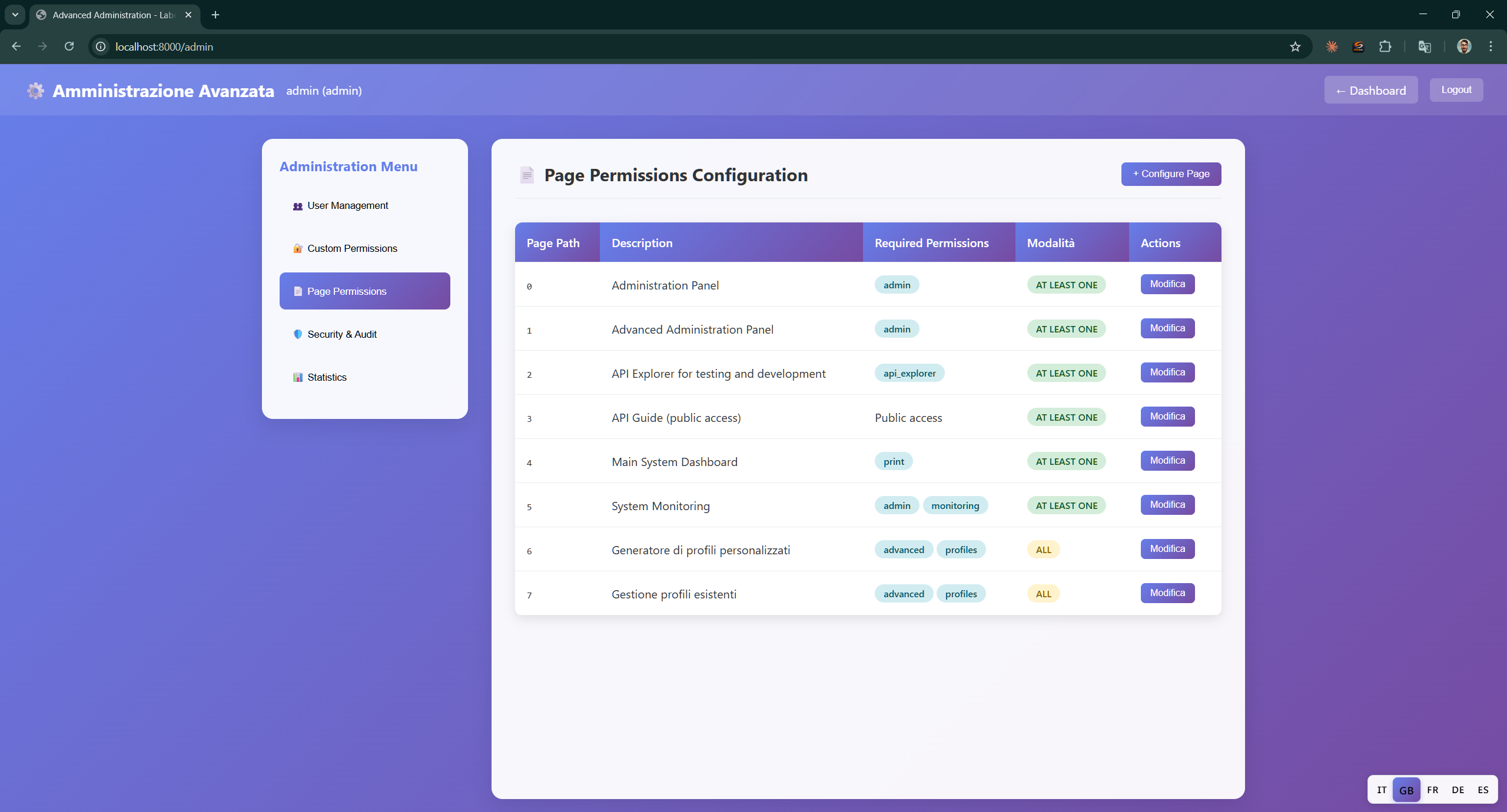
Configure which roles can access each page of the web dashboard. The table shows Page Path, Description, Required Permissions, Modifiable and Actions.
Configure Page Permissions
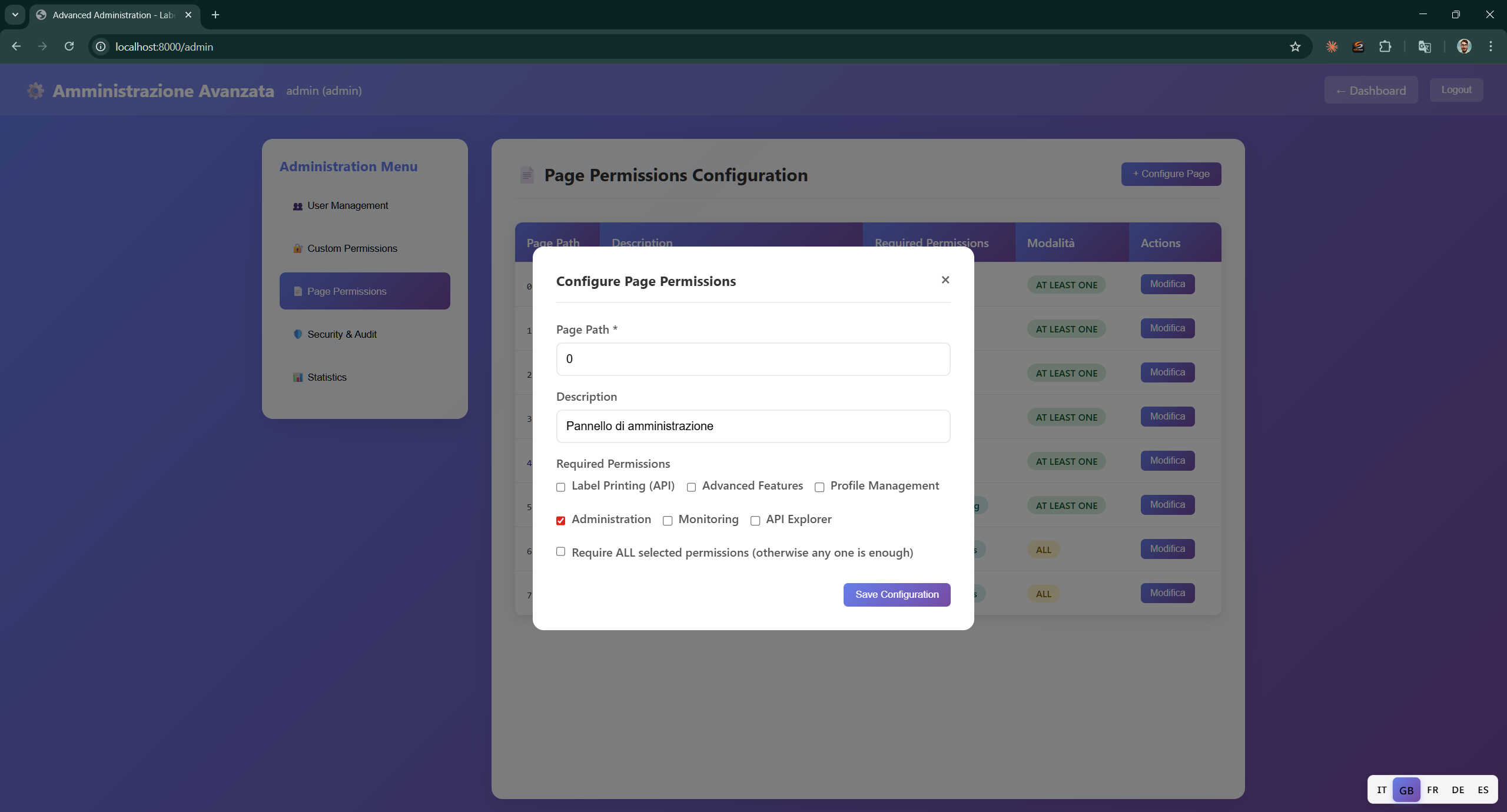
The editing window allows you to set the Page Path, description, required permissions (Label Printing, Advanced Features, Profile Management, Administration, Monitoring, API Explorer) and whether to require all selected permissions or at least one.
Custom Permissions
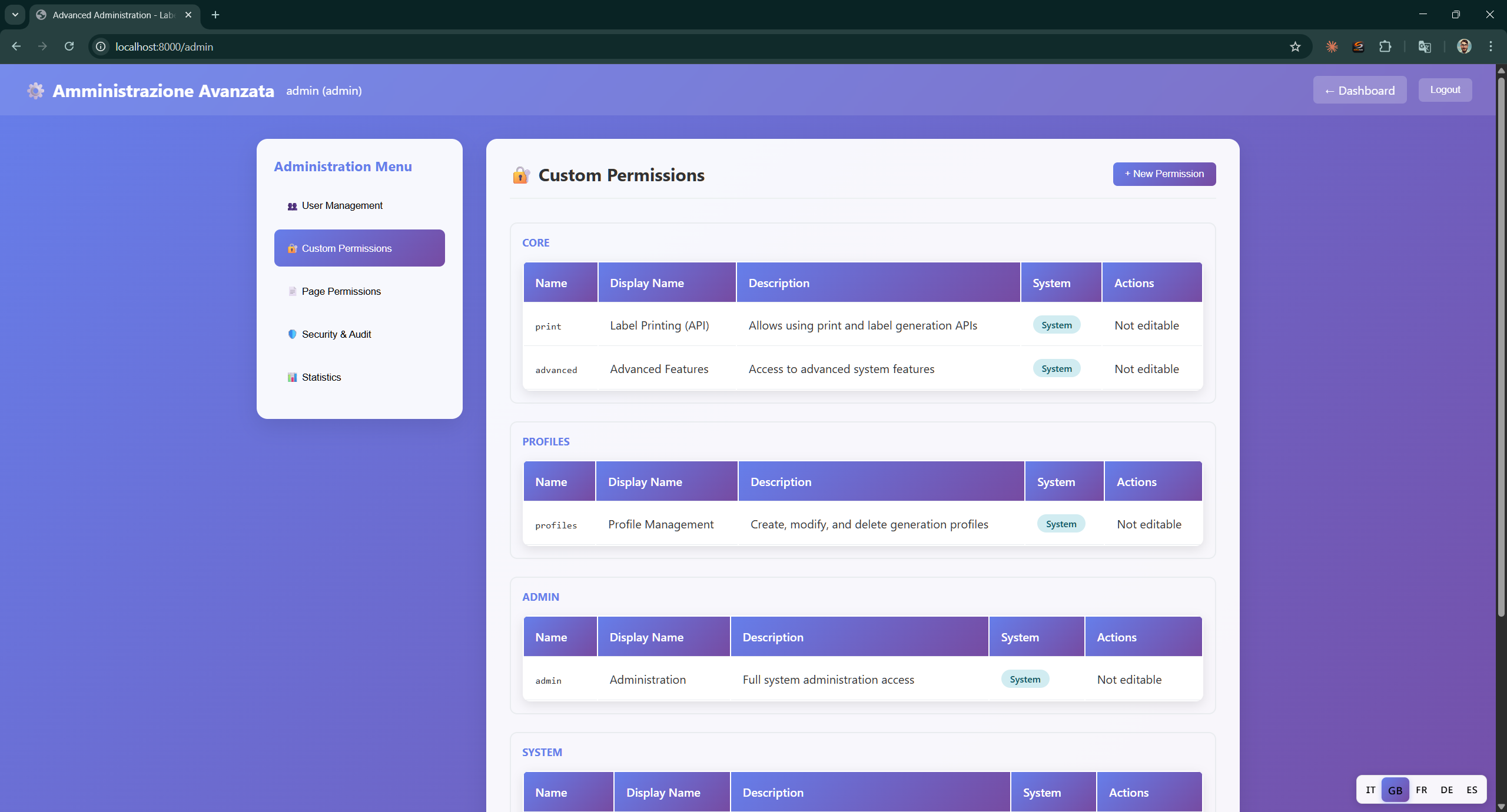
View and manage custom permissions organised by category: Core, Profiles, Admin and System. System permissions are not editable.
New Custom Permission
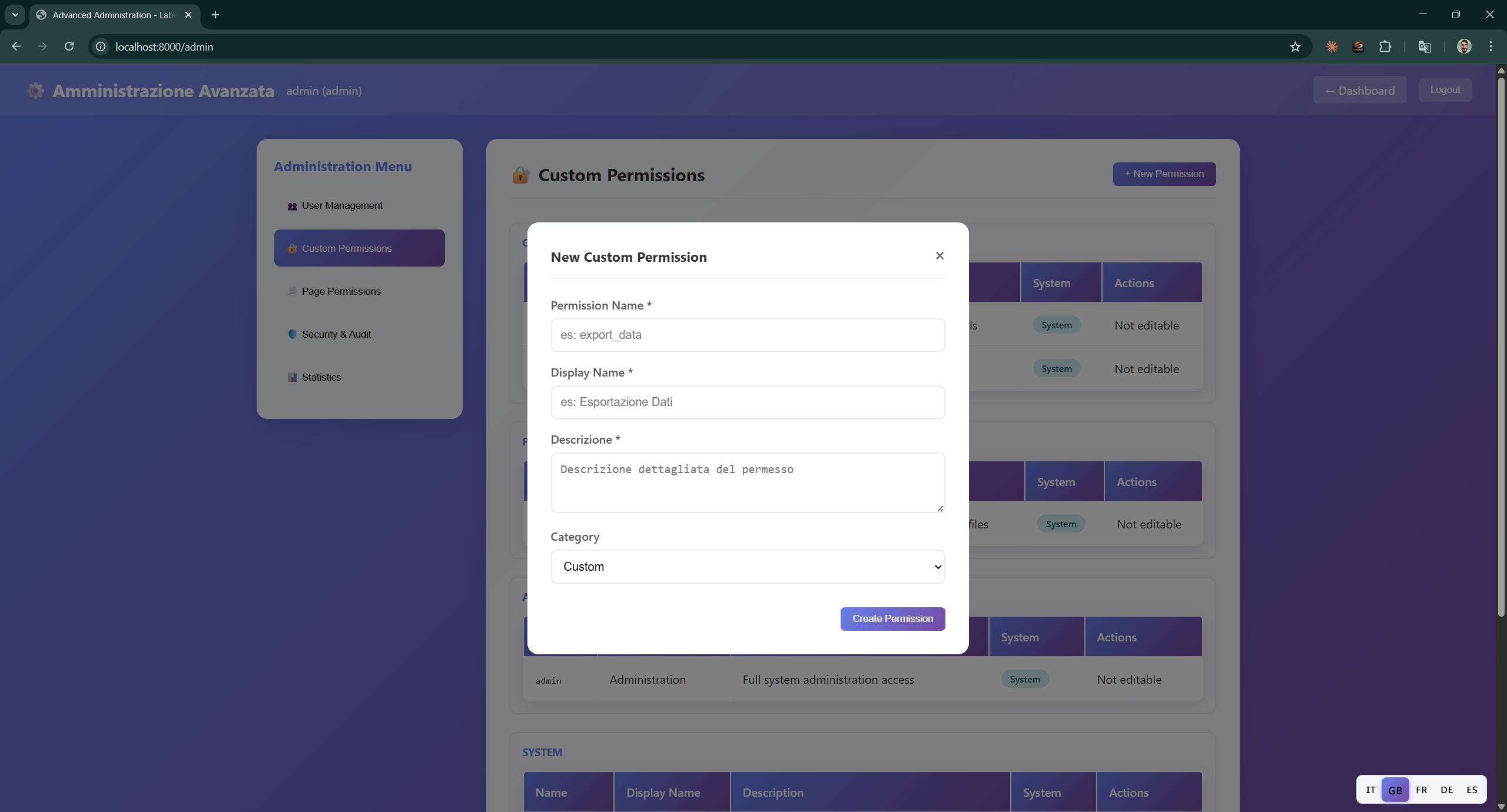
Create a new custom permission by specifying Permission Name, Display Name, Description and Category. The permission will be available in the user and page configuration.
Security & Audit
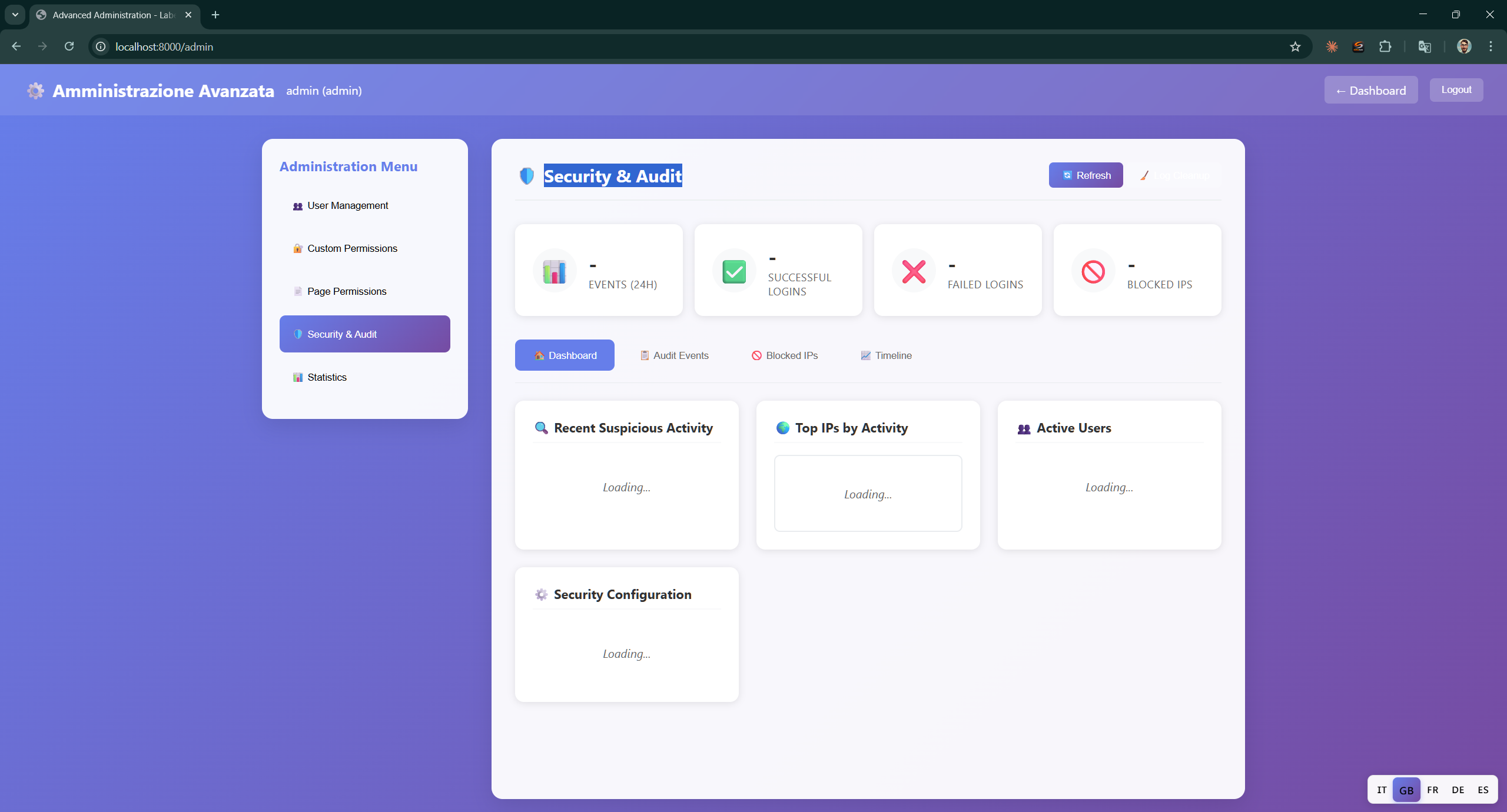
Security logs and audit trail with an overview of system activities.
- Counters — Events (login), Successful (logins), Failed (logins), Blocked IPs
- Tabs — Dashboard, Audit Events, Blocked IPs, Timeline
- Recent Suspicious Activity — Recent suspicious activities
- Top IPs by Activity — Most active IP addresses
- Active Users — Current active users
- Security Configuration — Server security settings
System Statistics
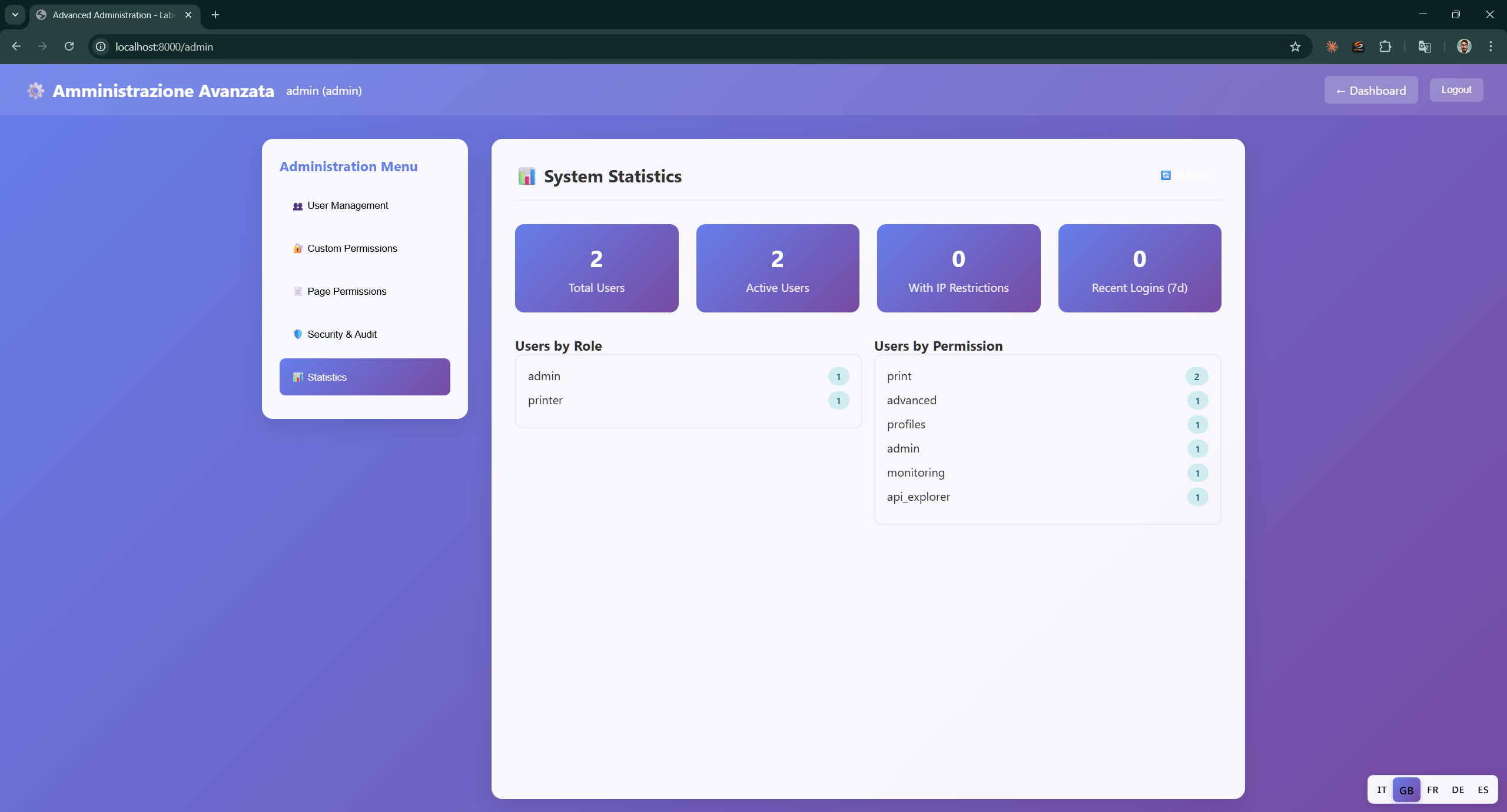
Detailed overview of system statistics.
- Summary cards — Total Users, Active Users, With IP Restrictions, Secure Logins (TLS)
- Users by Role — User distribution by role (admin, printer, etc.)
- Users by Permission — User distribution by assigned permission (print, advanced, profiles, admin, monitoring, api_explorer)