Data Connectors
Complete reference for all available connectors. Each connector lets you import data from a specific source for label printing.
All connectors follow the same workflow: select source type, configure the connection, select data, and map fields. For the general workflow, see the Tables / Database guide.
Files
Excel / ODS
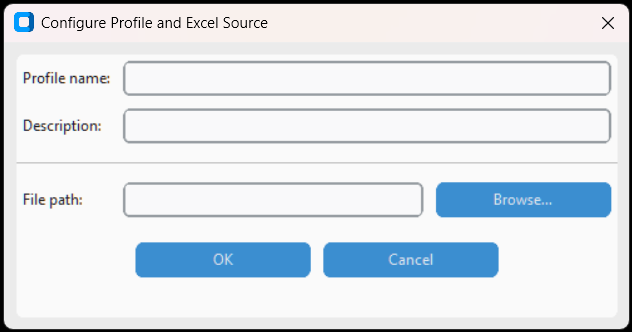
Import data from Microsoft Excel (.xlsx, .xlsm, .xls, .xlsb) and LibreOffice Calc (.ods) files. Select the desired sheet after connecting.
- Profile name / Description – Data profile name and description
- File path – Path to Excel/ODS file. Use Browse to select
After OK, the list of available sheets is shown. Select the sheet to use as the data source.
CSV / Testo
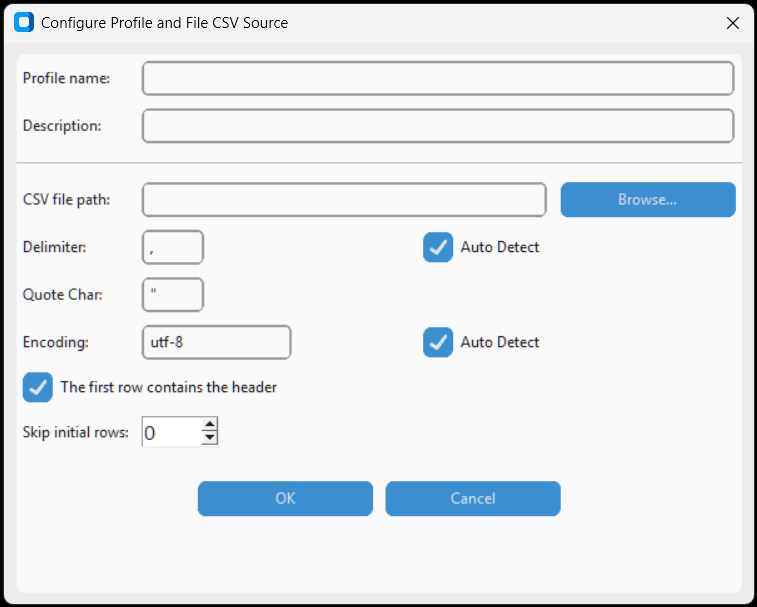
Import data from CSV and delimited text files. Configure delimiter, quote character, encoding and header. The Auto Detect button automatically detects the settings.
- CSV file path – Path to CSV/text file
- Delimiter – Separator character (comma, semicolon, tab, etc.)
- Quote Char – Quote character for fields with internal delimiters
- Encoding – File encoding (utf-8, latin-1, etc.)
- The first row contains the header – Indicates if the first row contains field names
- Auto Detect – Automatically detect delimiter, quote, and encoding
Microsoft Access

Direct connection to Microsoft Access databases (.mdb, .accdb). Supports database password, driver selection and custom queries.
- Access database path – Path to .mdb or .accdb file
- Database Password – Database password (if protected)
- Access driver – Installed Access driver. Other... shows available drivers
- RECOMMENDED: Use Read Uncommitted – Avoids database locks during reading
- Custom Query – Custom SQL query (optional). Open Query Editor opens the visual editor
Apache Parquet
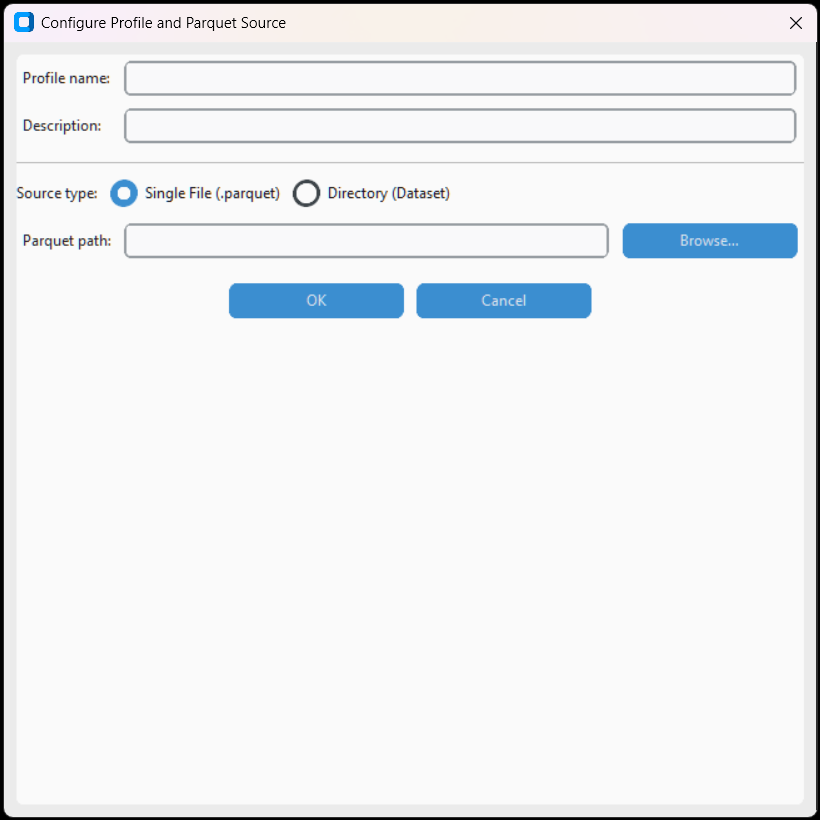
Read Apache Parquet files, a high-performance columnar format. Ideal for large datasets.
- File path – Path to .parquet file
- Read uncommitted – Read performance optimization
Feather / Arrow IPC
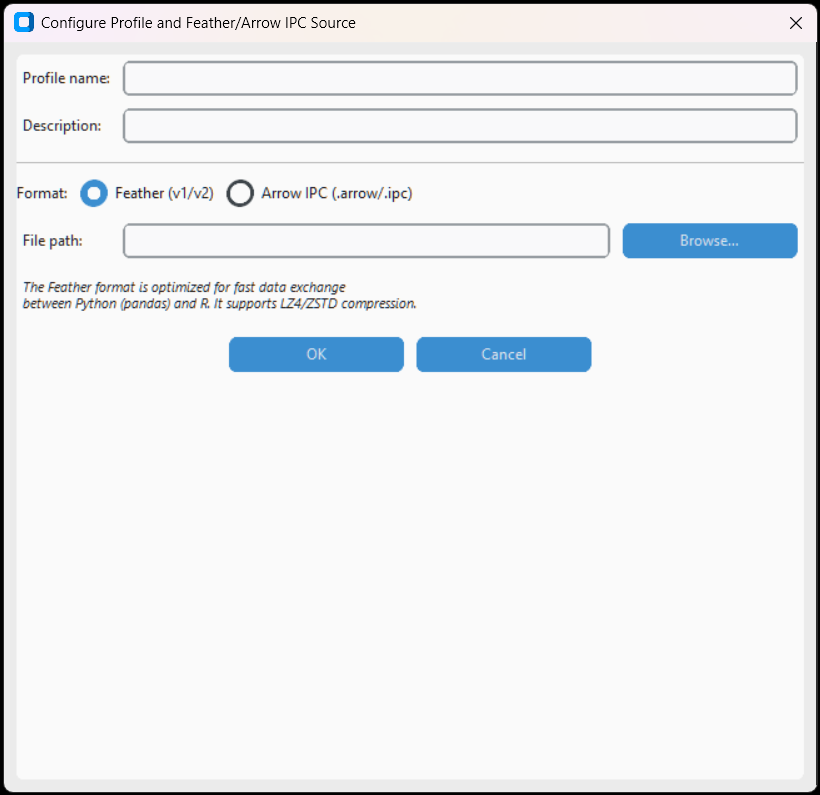
Read Feather and Arrow IPC files, a fast binary format for data exchange between applications.
SPSS / SAS / Stata

Read statistical files: SPSS (.sav), SAS (.sas7bdat) and Stata (.dta). Uses the pyreadstat library.
Apache Avro
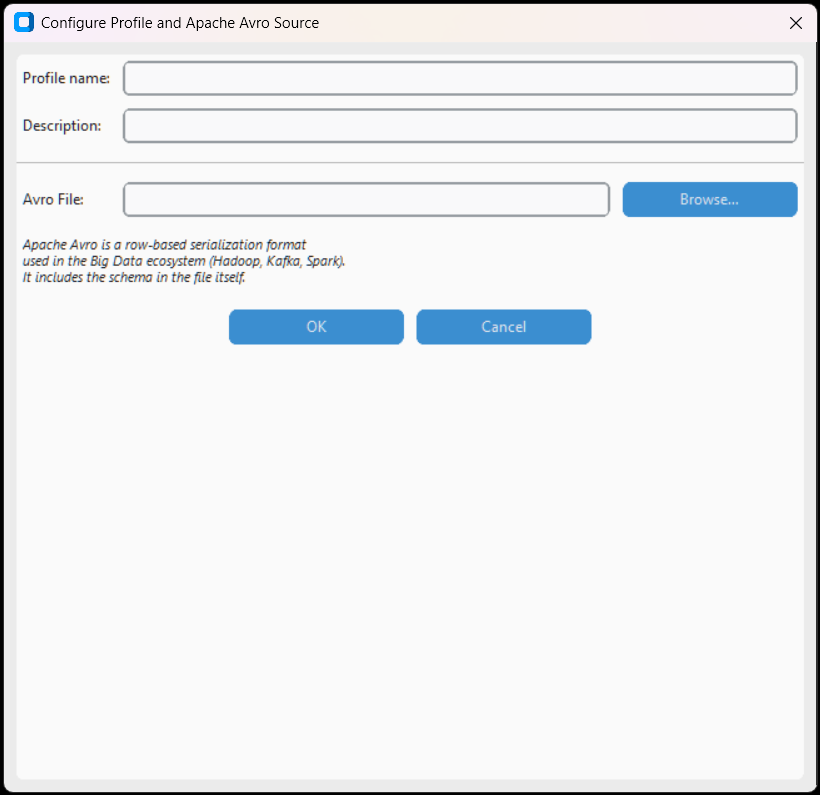
Read Apache Avro files, a binary format with embedded schema, used in Hadoop and streaming ecosystems.
HDF5

Read Hierarchical Data Format 5 files, used for large scientific and engineering datasets.
GeoPackage / GeoJSON / Shapefile
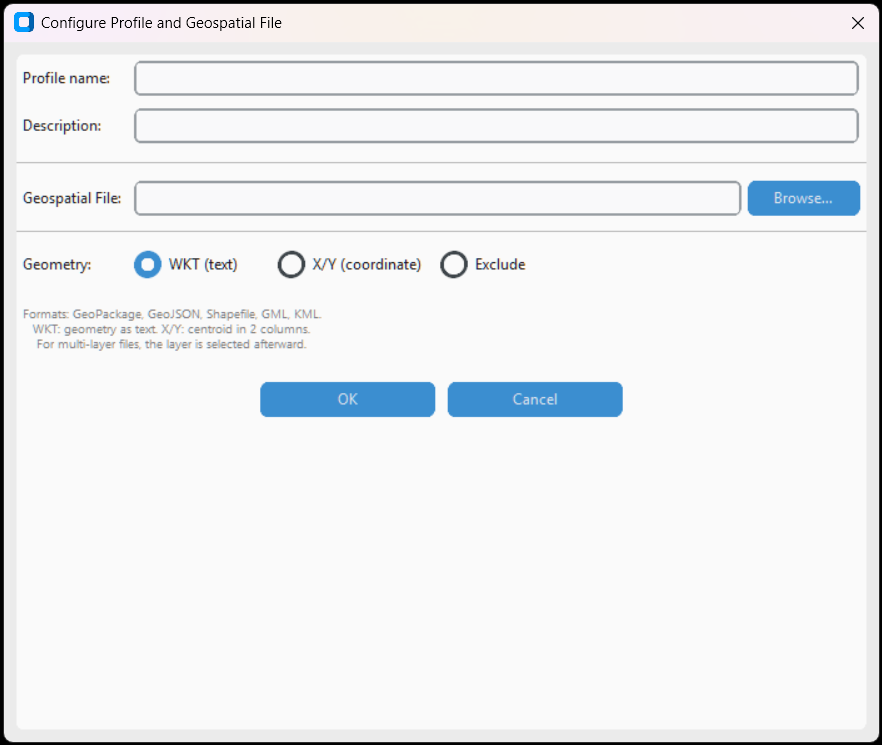
Import geospatial data from GeoPackage, GeoJSON and Shapefile. Supports WKT, GeoJSON and coordinate formats.
- WKT (text) – Geometry in text format
- XY Coordinates – Separate columns for latitude/longitude
- Encoded – Encoded geometry (GeoJSON, WKB)
File Connessione Dati Office (.odc)
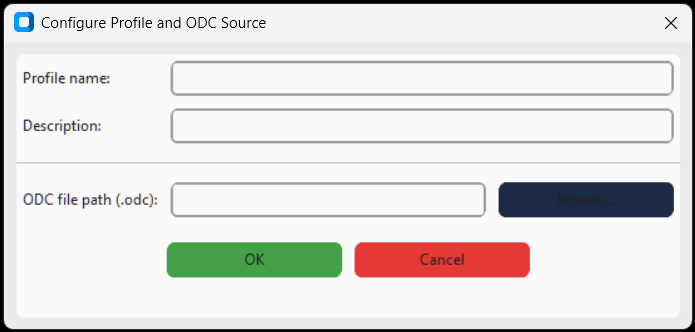
Read ODC (Office Data Connection) files created by Excel or other Office products to reuse predefined connections.
JSON / XML
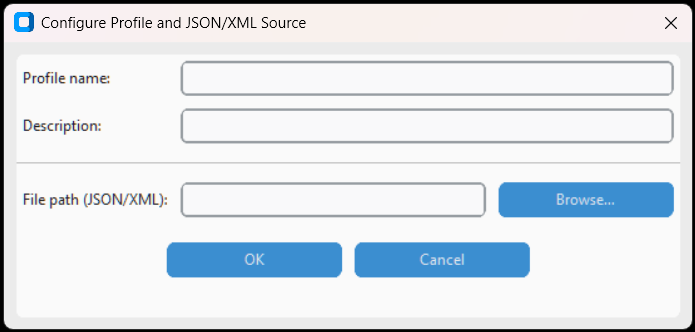
Import structured data from local JSON and XML files. Supports nested arrays and XPath paths.
Relational databases
Microsoft SQL Server
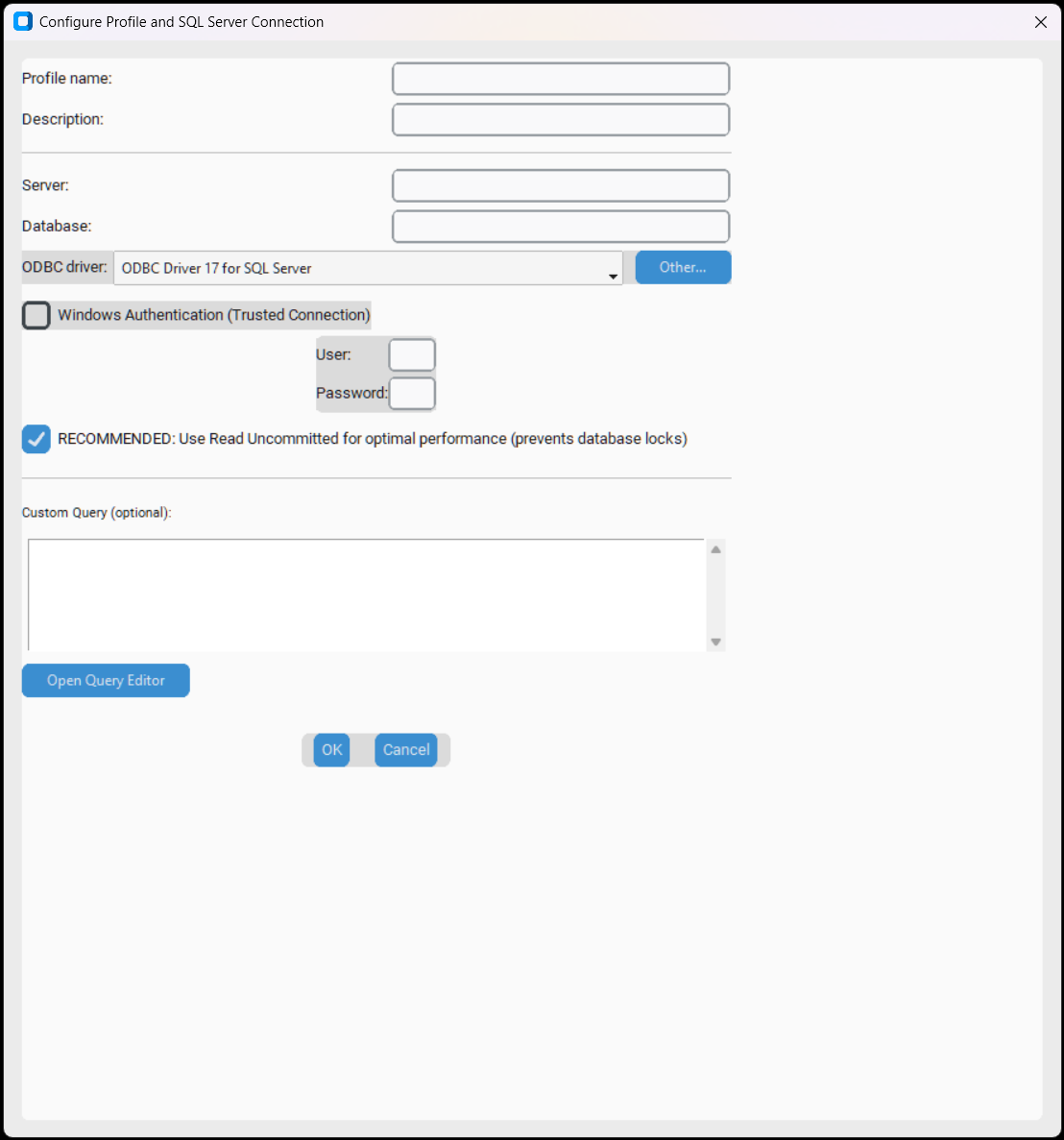
Connect to Microsoft SQL Server. Supports Windows authentication (Trusted Connection) and SQL Server authentication, ODBC driver selection, and custom queries.
- Server – Server name or IP (e.g.,
localhost,server\instance) - Database – Database name
- ODBC driver – Installed driver (e.g., ODBC Driver 17 for SQL Server). Other... shows available drivers
- Windows Authentication – Use current Windows credentials (Trusted Connection)
- User / Password – SQL Server credentials (if not using Windows Auth)
- RECOMMENDED: Use Read Uncommitted – Prevents database locks
- Custom Query – Custom SQL query with integrated editor
MySQL
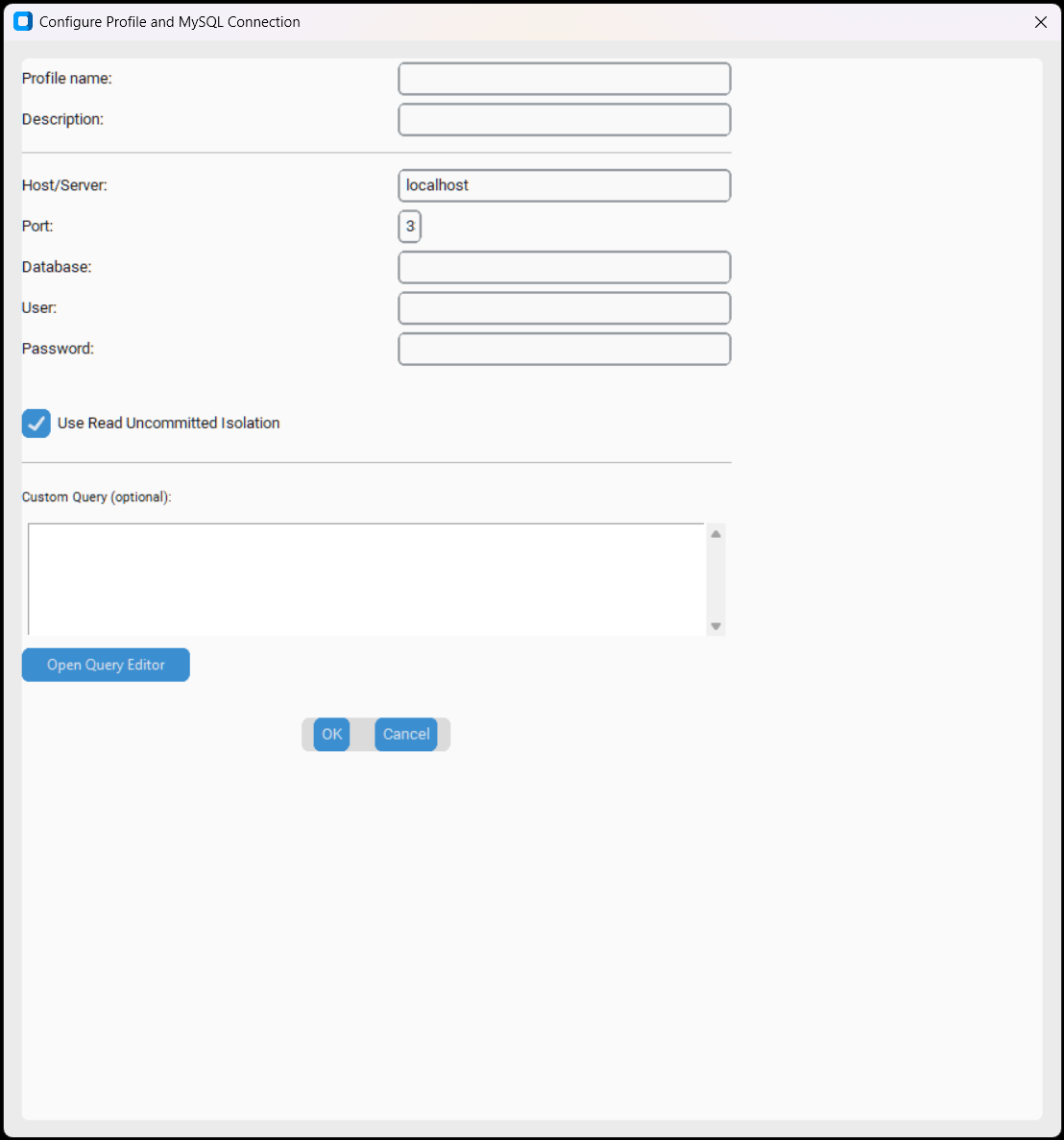
Connect to MySQL and MariaDB. Configure host, port, database, credentials and custom queries.
- Host/Server – Server address (default:
localhost) - Port – Port (default:
3306) - Database – Database name
- User / Password – Access credentials
- Use Read Uncommitted Isolation – Avoids read locks
- Custom Query – Custom SQL query with integrated editor
PostgreSQL
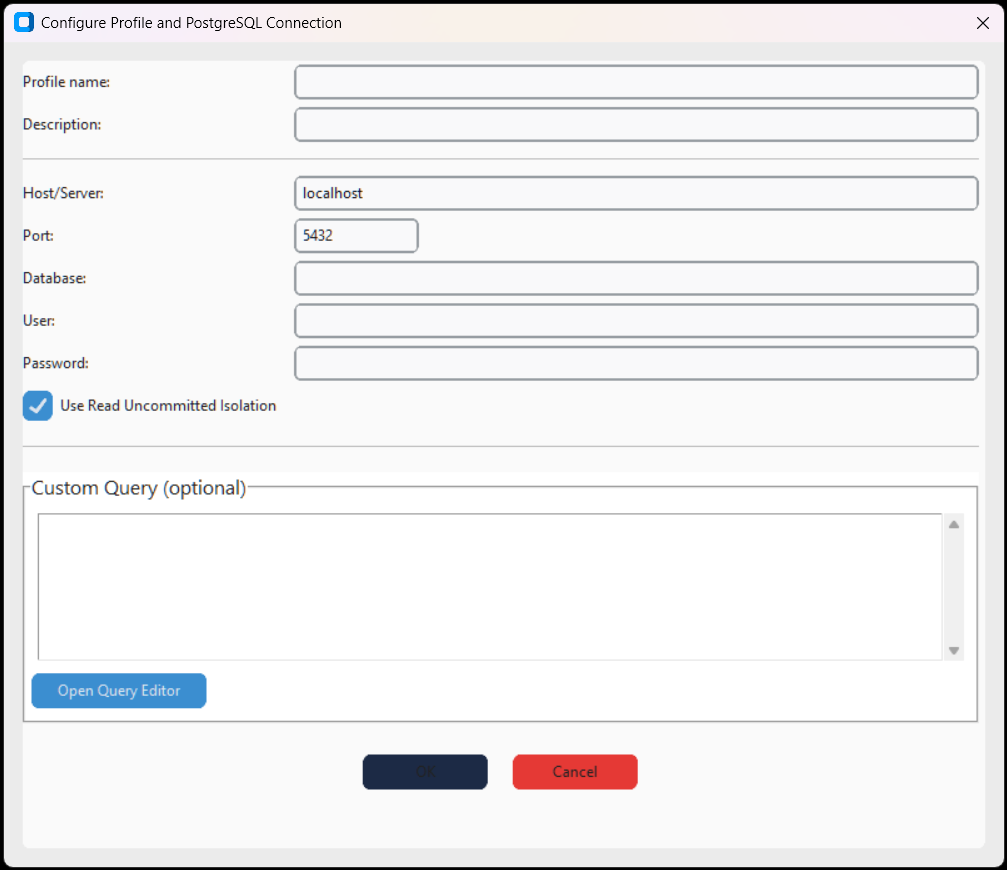
Connect to PostgreSQL. Supports standard and SSL connections, with custom queries.
- Host / Port – Server and port (default:
5432) - Database – Database name
- User / Password – Credentials
- Use SSL – Enable encrypted connection
- Custom Query – Custom SQL query
Oracle Database
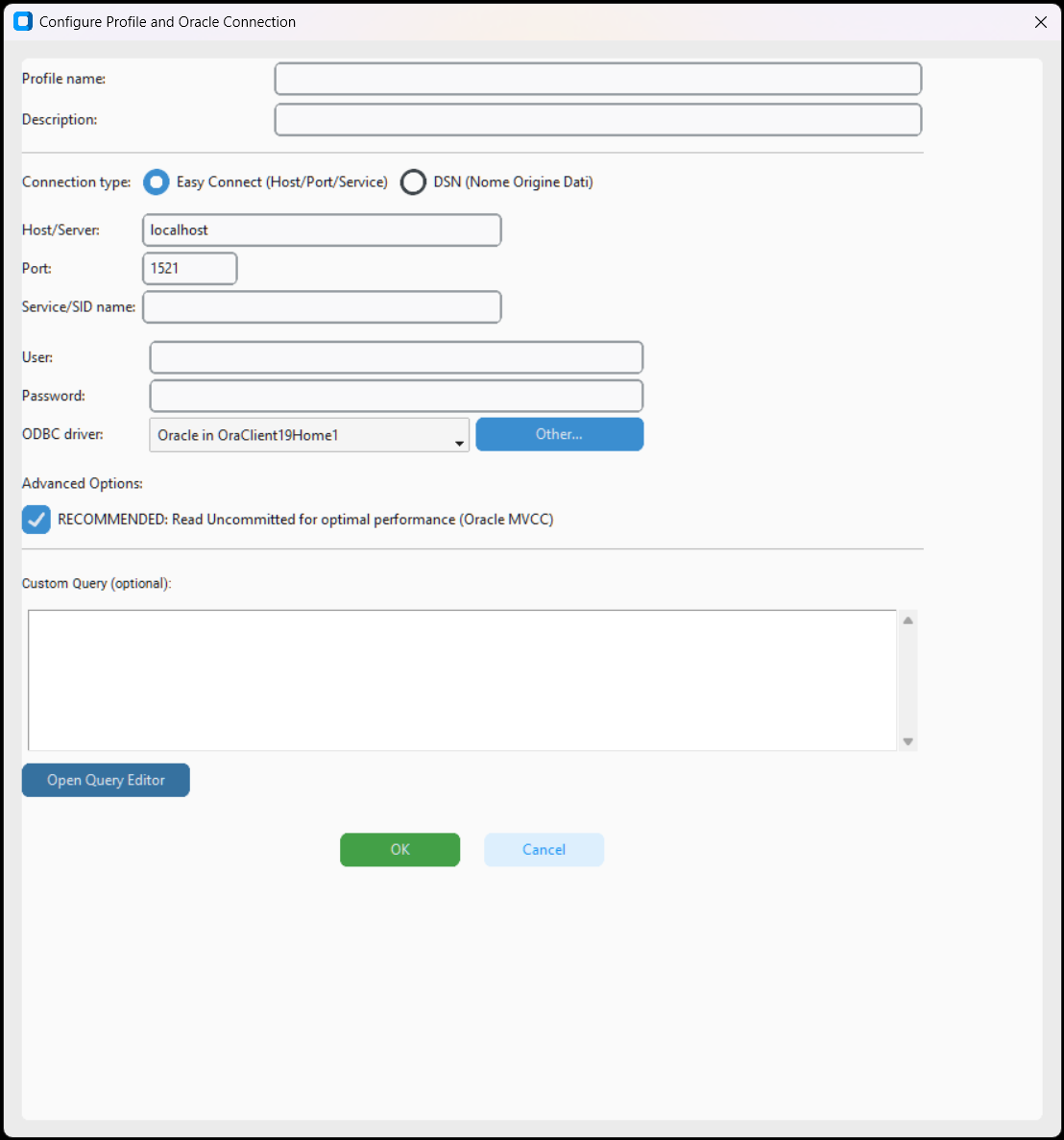
Connect to Oracle Database. Supports Easy Connect and Oracle Instant Client, with driver selection and custom queries.
- Connection type – Easy Connect (Host/Port/Service) or DSN
- Host/Server, Port, Service/SID name – Easy Connect parameters
- ODBC driver – Oracle Instant Client driver
- RECOMMENDED: Read Uncommitted – Use Oracle MVCC for performance
- Custom Query – Custom SQL query with editor
IBM Db2
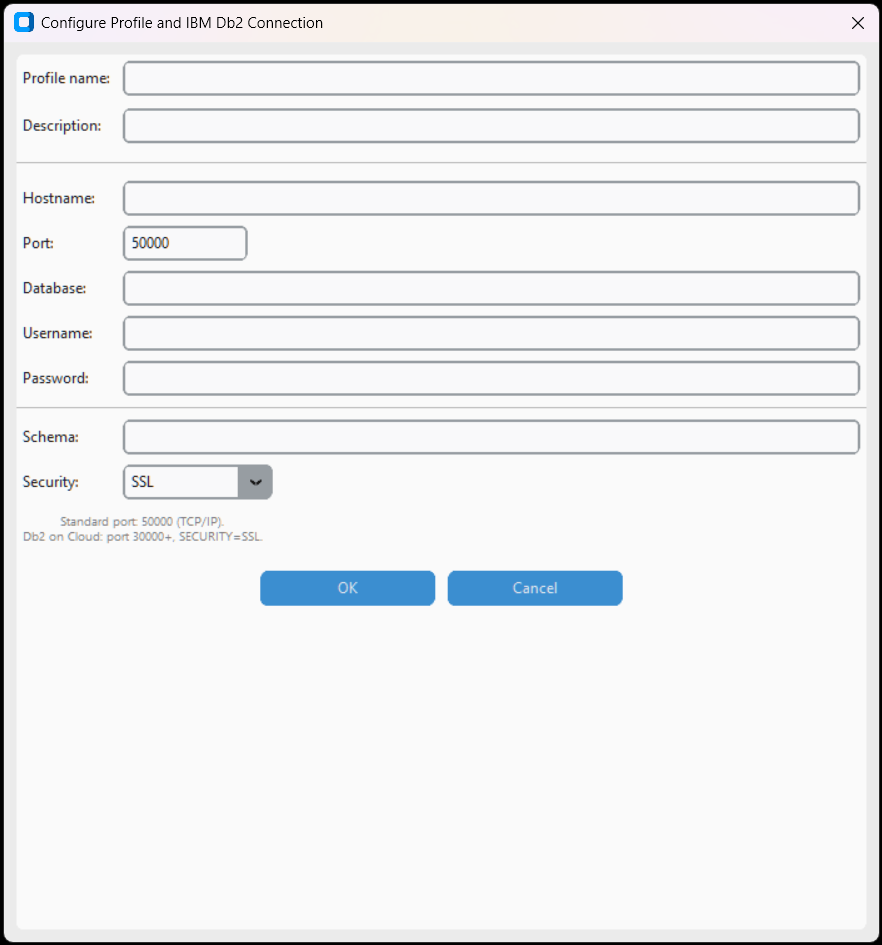
Connect to IBM Db2. Configure host, port, database and credentials. Supports SSL/TLS.
- Host / Port – Server and port (default:
50000) - Database – Database name
- Username / Password – Credentials
- Use SSL/TLS – Encrypted connection
ClickHouse
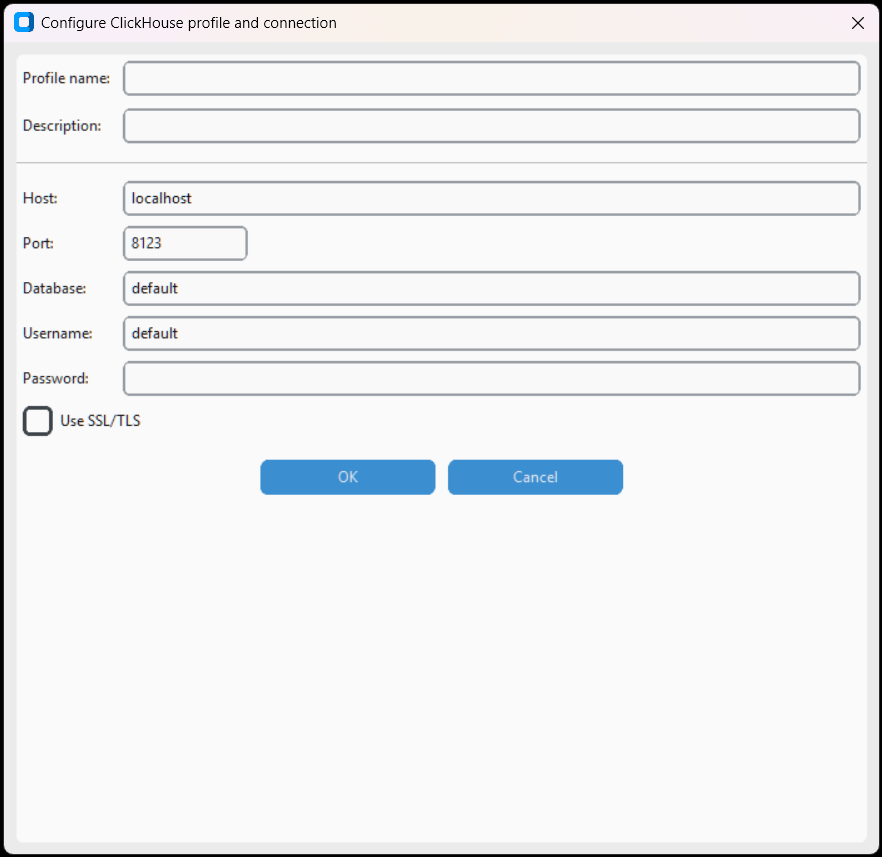
Connect to ClickHouse, a columnar OLAP database. Configure host, HTTP port, database and credentials.
- Host / HTTP Port – Server and HTTP port (default:
8123) - Database – Database name
- Username / Password – Credentials (default user:
default) - Use SSL – HTTPS
Trino (SQL Gateway)
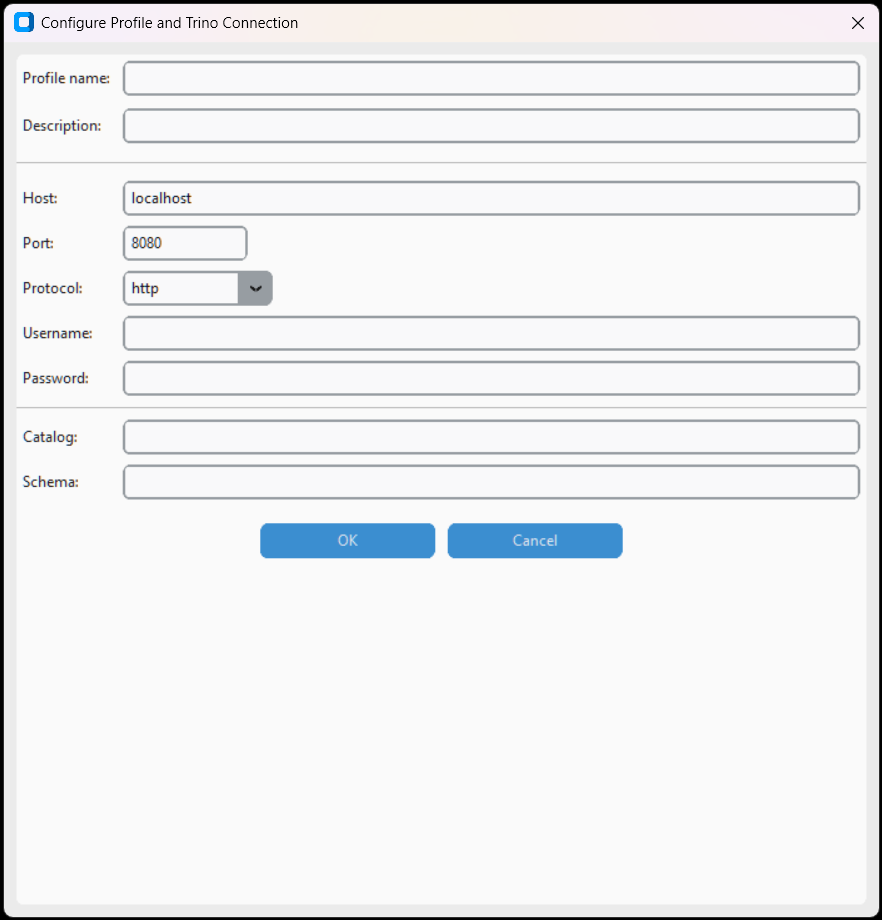
Connect to Trino (formerly Presto). Distributed SQL gateway for federated queries across different data sources.
- Host / Port – Trino coordinator (default:
8080) - Catalog / Schema – Catalog and data schema
- Username / Password – Credentials
- Use SSL – HTTPS
Big Data and Analytics
Snowflake Data Cloud
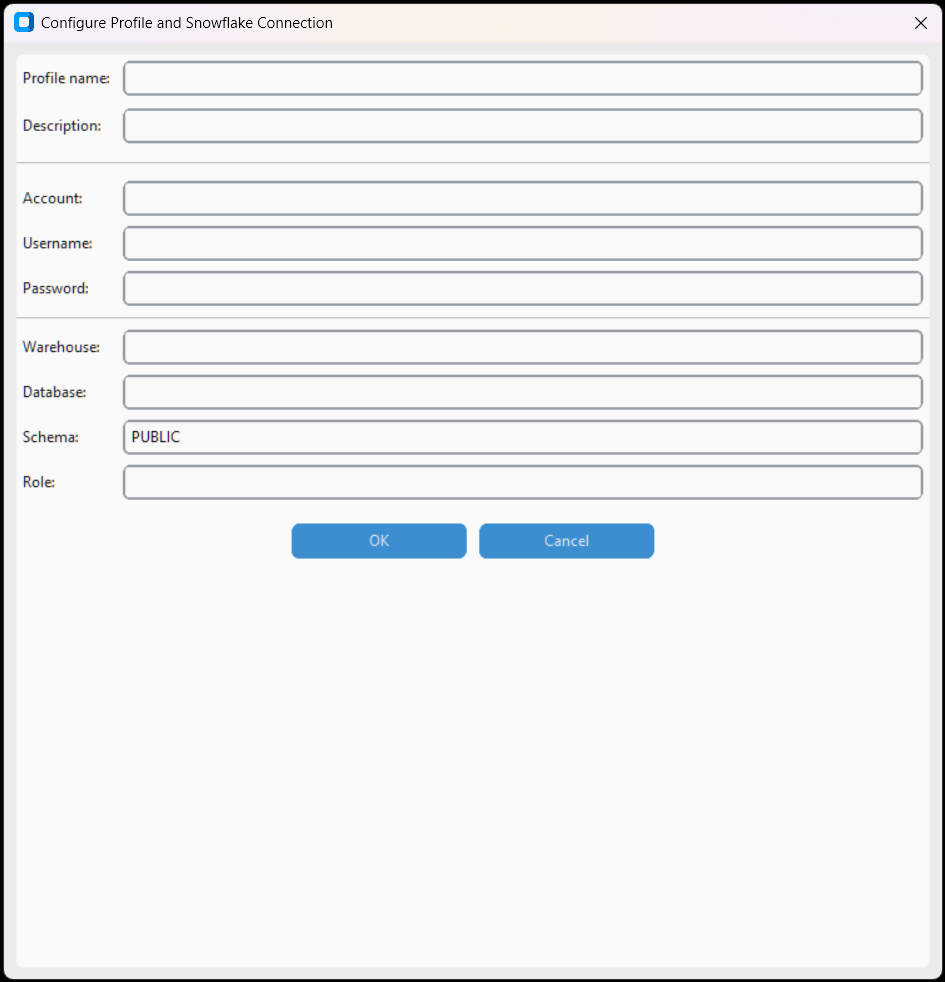
Connect to Snowflake. Configure account, warehouse, database, schema and credentials.
- Account – Snowflake account identifier (e.g.,
xy12345.eu-west-1) - Warehouse – Processing warehouse
- Database / Schema – Target database and schema
- Username / Password – Credentials
- Role – Snowflake role (optional)
Databricks SQL
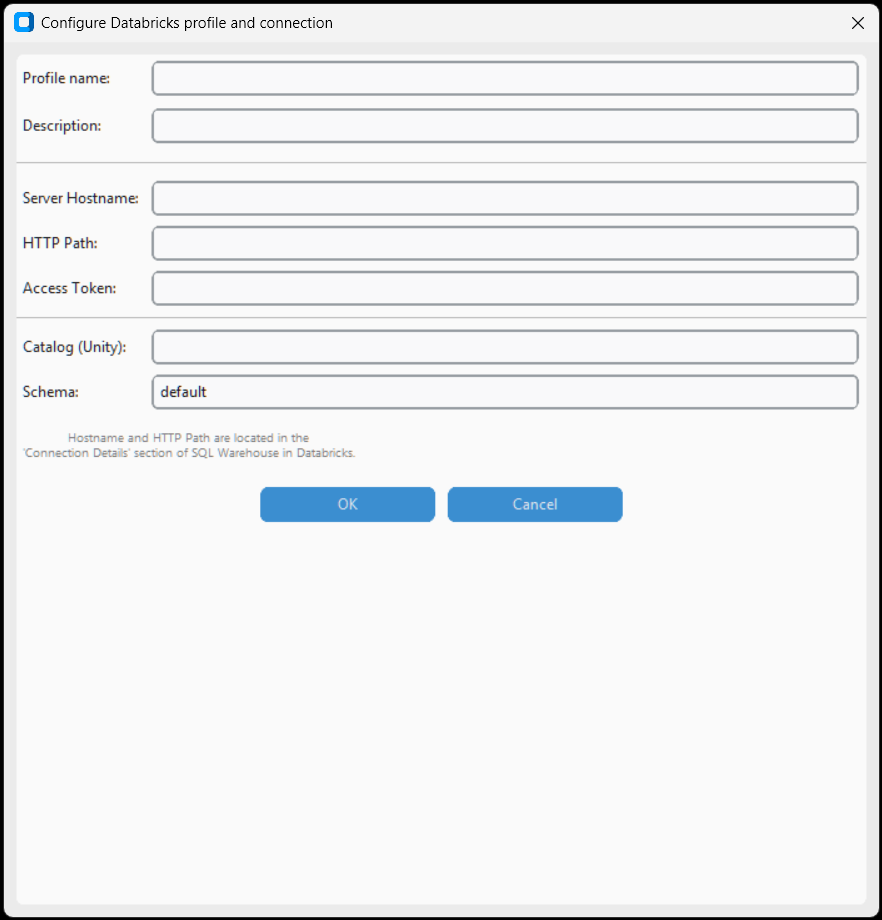
Connect to Databricks SQL Analytics. Configure host, HTTP path, access token and catalog.
- Server hostname – Databricks workspace host
- HTTP path – SQL warehouse path
- Access token – Personal authentication token
- Catalog – Unity catalog (optional)
Google BigQuery

Connect to Google BigQuery. Requires service account credentials JSON file and Project ID.
- Credentials JSON file – Google service account JSON file
- Project ID – Google Cloud project ID
DuckDB (Analitico Embedded)

Embedded analytical database. Open local DuckDB files or create in-memory databases for fast analytics.
- Database file path – Path to .duckdb file (or leave empty for in-memory)
- Read only – Open in read-only mode
Apache Cassandra
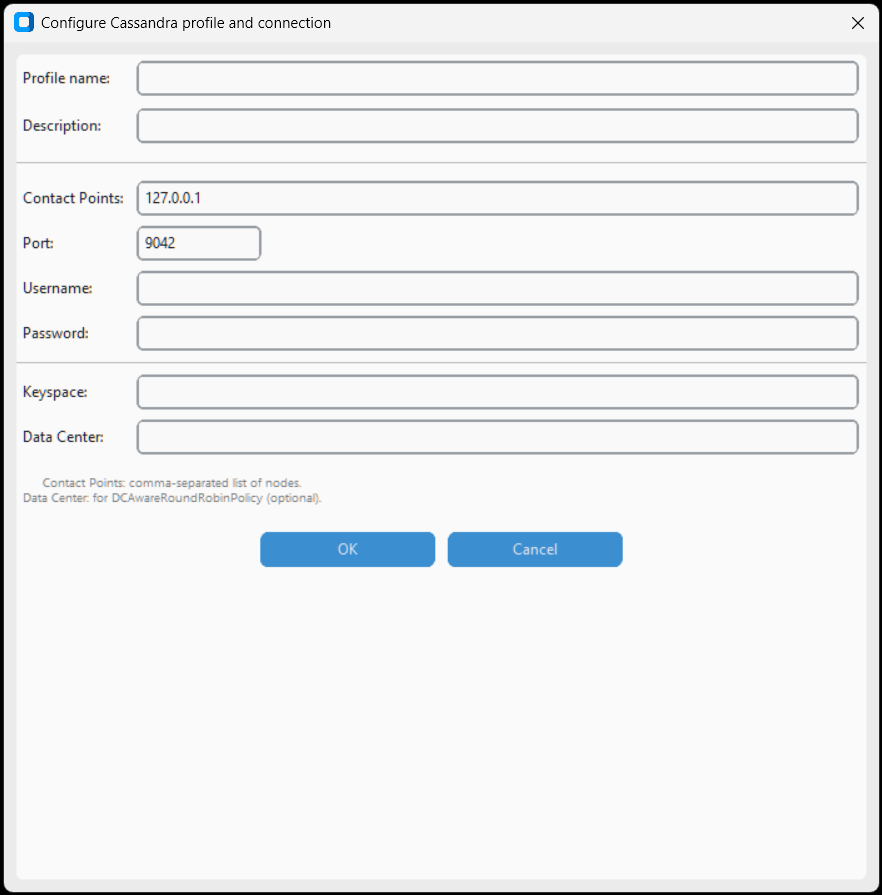
Connect to Apache Cassandra clusters. Configure contact nodes, port, keyspace and credentials.
- Contact points – Cluster nodes (comma-separated)
- Port – Native port (default:
9042) - Keyspace – Target keyspace
- Username / Password – Credentials (if authentication is enabled)
Cloud Storage
Amazon S3
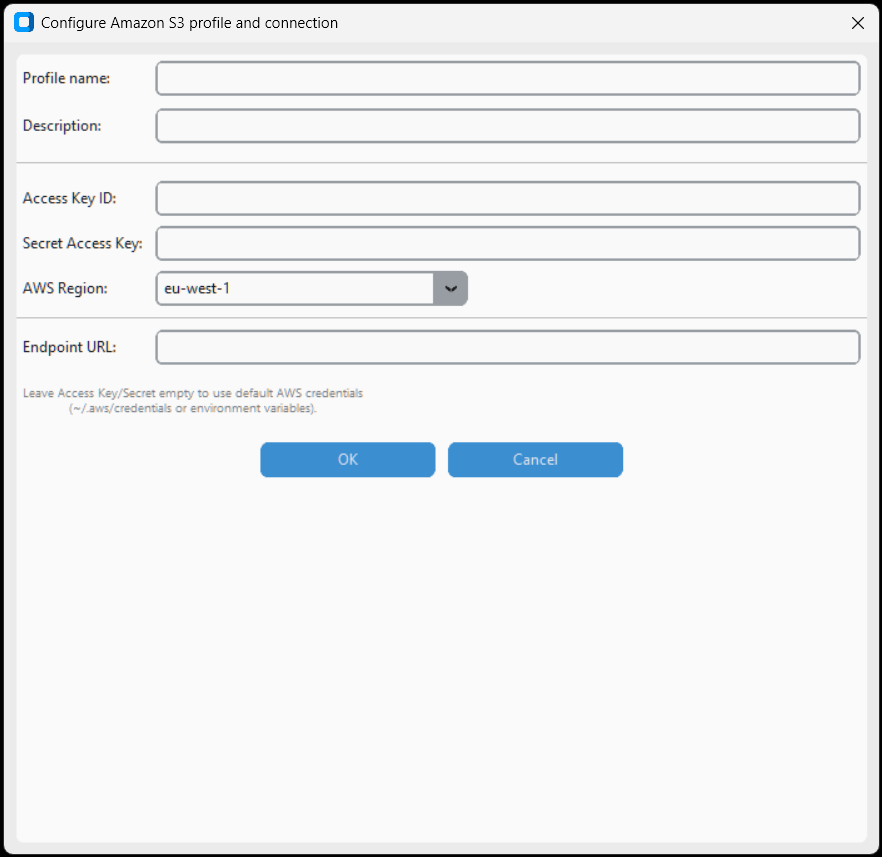
Read files from Amazon S3 buckets. Configure Access Key, Secret Key, region and bucket/file path.
- Access Key ID / Secret Access Key – AWS IAM credentials
- Region – AWS region (e.g.,
eu-west-1) - Bucket name – Bucket name
- File path/prefix – Path to file in bucket
Azure Blob Storage
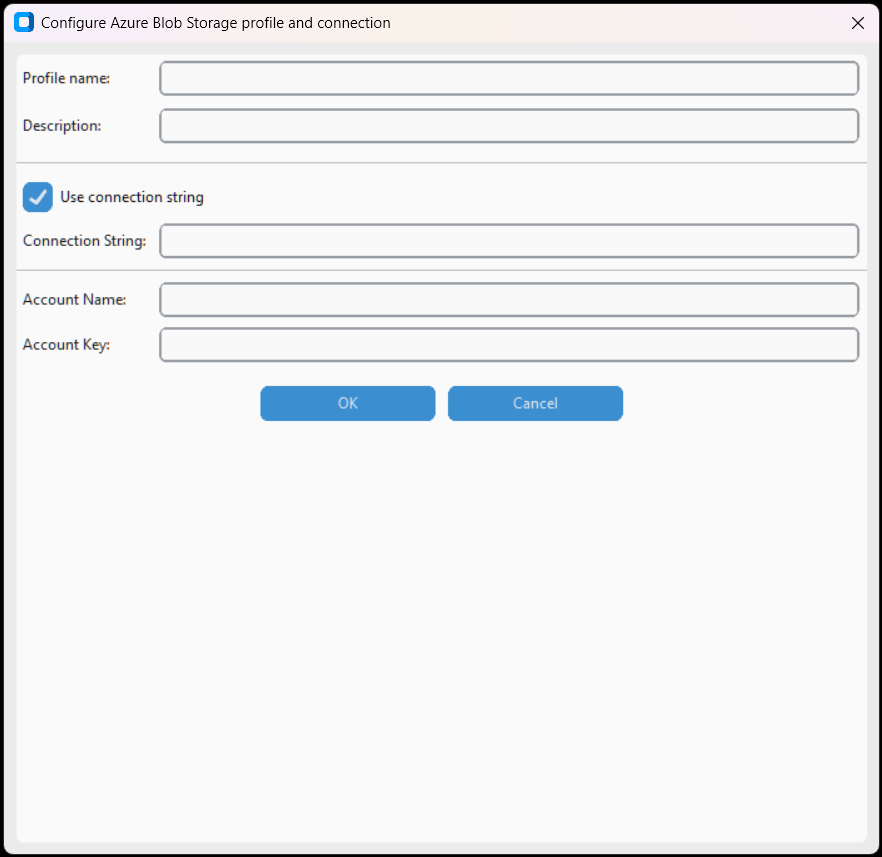
Read files from Azure Blob Storage. Configure connection string or account name + key, container and blob path.
- Connection string – Complete connection string (alternative to account + key)
- Account name / Account key – Storage account credentials
- Container – Container name
- Blob path – Path to the blob
SharePoint / OneDrive
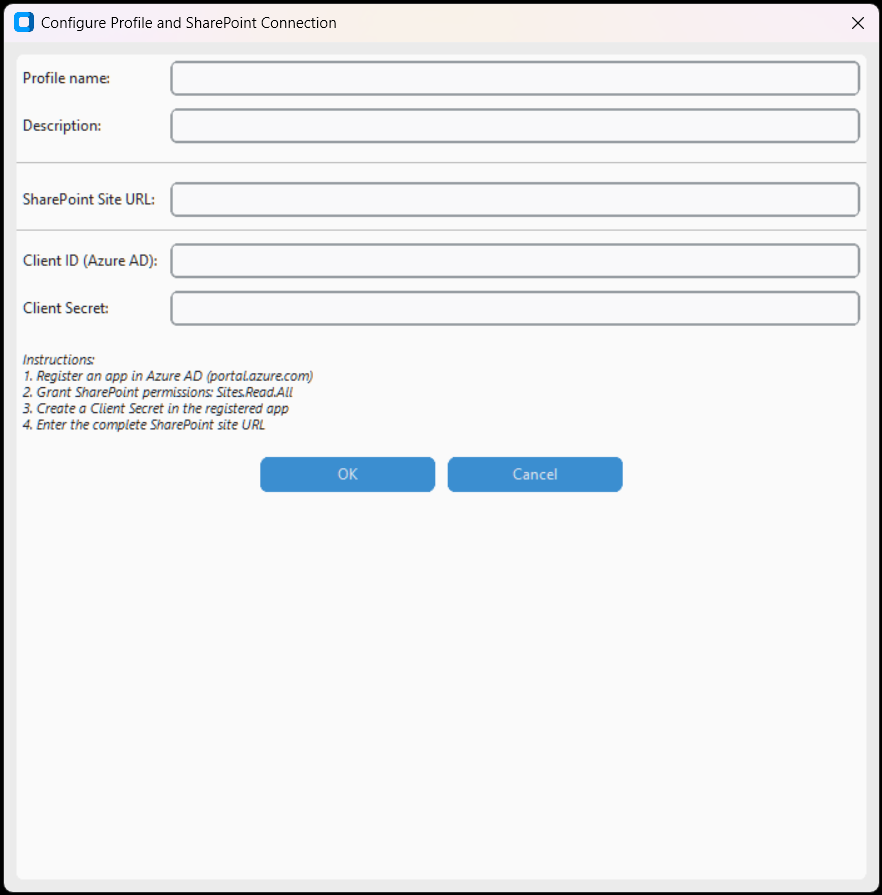
Access files on SharePoint Online and OneDrive for Business. Authentication via Azure AD (Client ID, Secret, Tenant ID).
- Tenant ID – Azure AD tenant ID
- Client ID / Client Secret – Registered Azure app credentials
- Site URL – SharePoint site URL
- File path – Path to file in document library
NoSQL and Enterprise
MongoDB
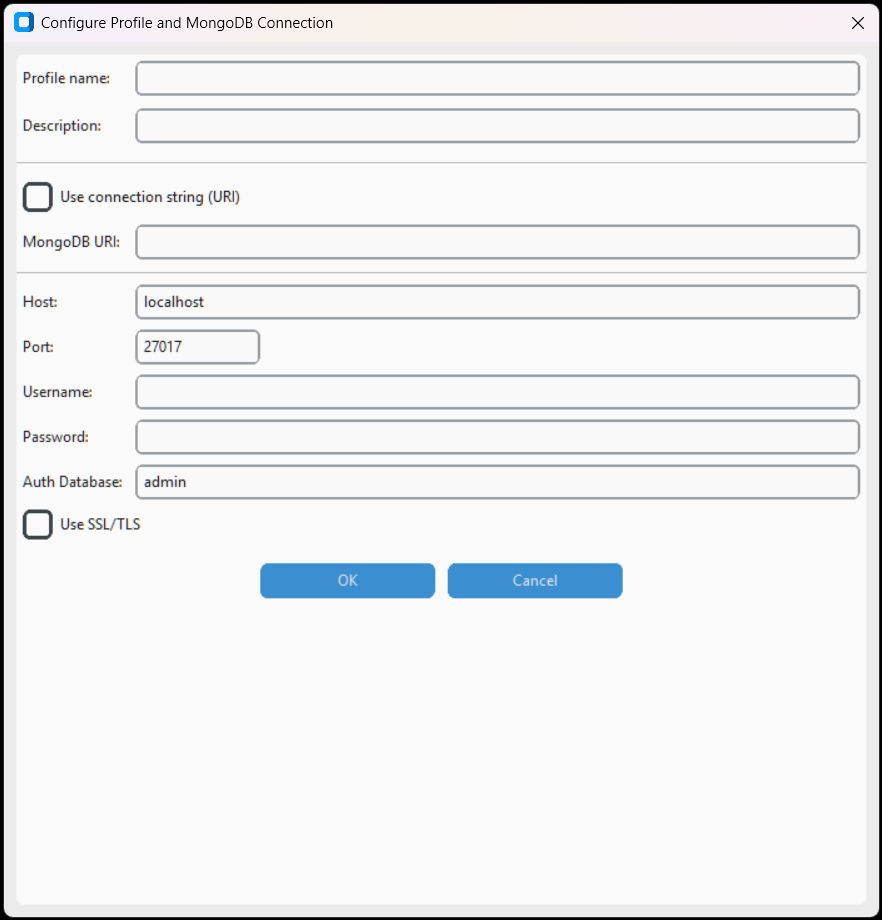
Connect to MongoDB. Supports connection via URI or separate fields (host, port, database, credentials). SSL/TLS option.
- Use connection string (URI) – Connection via complete MongoDB URI
- Host / Port – Server and port (default:
27017) - Username / Password – Credentials
- Auth Database – Authentication database (default:
admin) - Use SSL/TLS – Encrypted connection
Elasticsearch
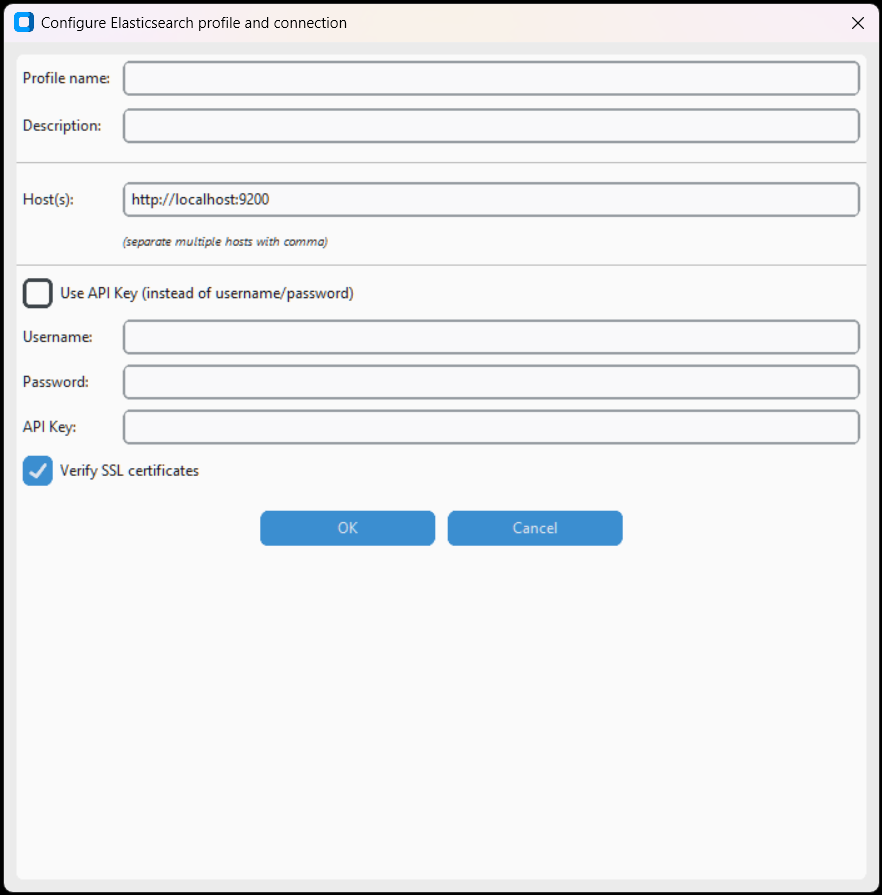
Connect to Elasticsearch clusters. Configure URL, credentials and SSL verification option.
- Elasticsearch URL – Cluster URL (e.g.,
https://localhost:9200) - Username / Password – Credentials (if authentication is enabled)
- Verify SSL – Verify SSL certificate
- API Key – Alternative to credentials
Redis
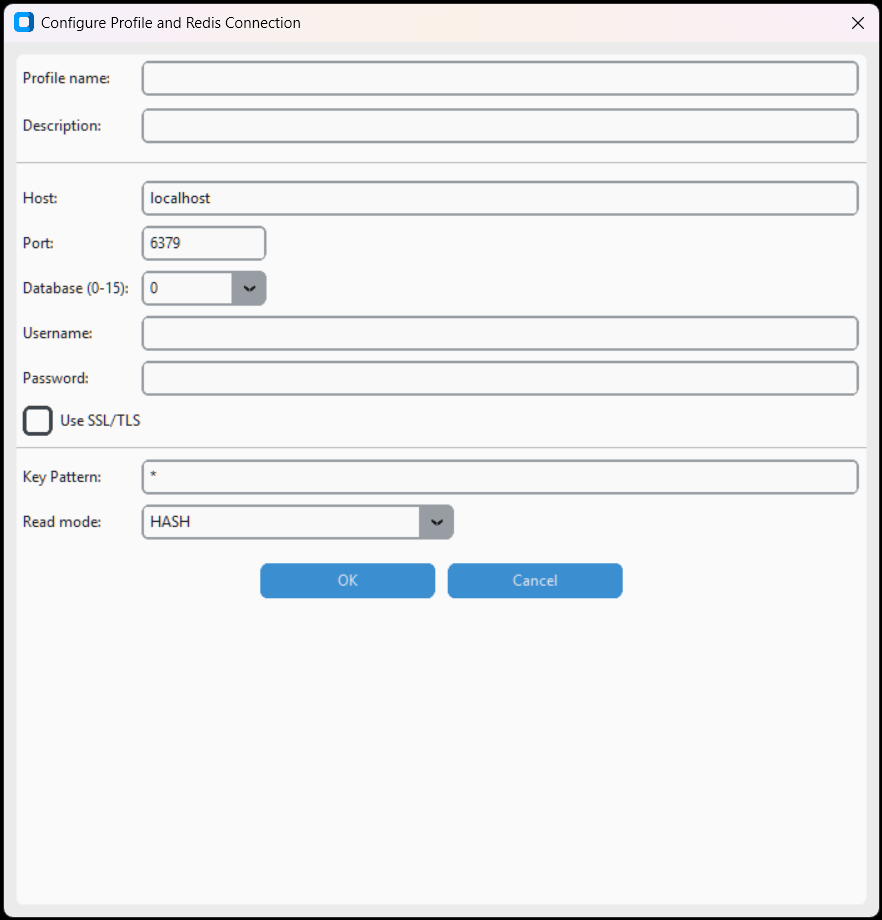
Connect to Redis. Configure host, port, password, database index and key filter pattern.
- Host / Port – Server and port (default:
6379) - Password – Password (if configured)
- Database – Database index (default:
0) - Key pattern – Glob pattern to filter keys (e.g.,
product:*) - Use SSL/TLS – Encrypted connection
Neo4j Graph DB
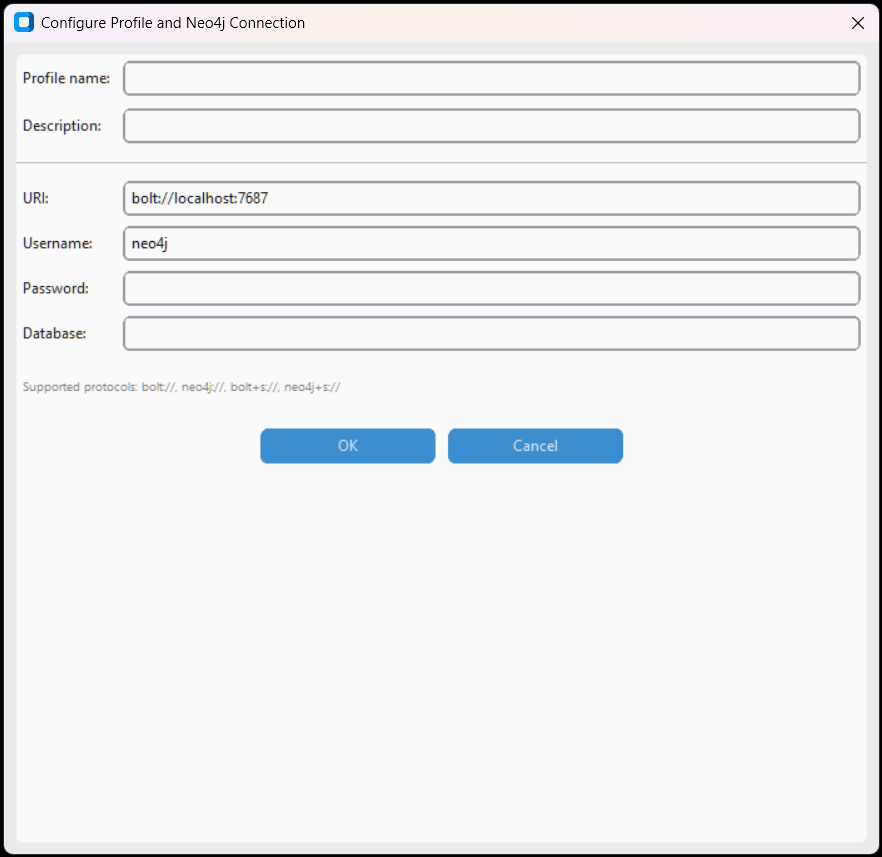
Connect to Neo4j. Execute Cypher queries to extract data from the graph database.
- URI – Connection URI (e.g.,
bolt://localhost:7687) - Username / Password – Credentials
- Database – Database name (default:
neo4j)
Apache Kafka
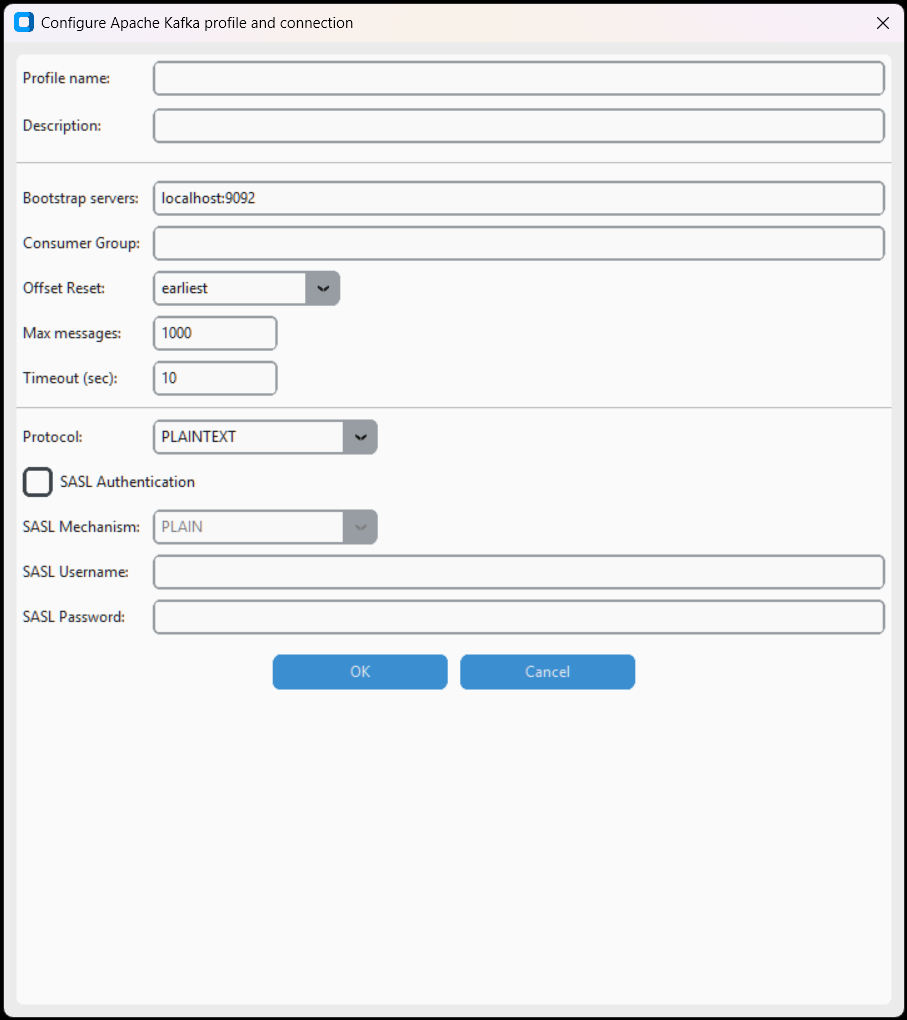
Consume messages from Apache Kafka topics. Configure bootstrap servers, group, topic and message format (JSON).
- Bootstrap servers – Kafka servers (e.g.,
localhost:9092) - Group ID – Consumer group
- Topic – Topic name
- Max messages / Timeout – Read limits
- SASL Authentication – SASL authentication (optional)
- SSL/TLS – Encrypted connection with certificates
Web Services and APIs
API REST Generica
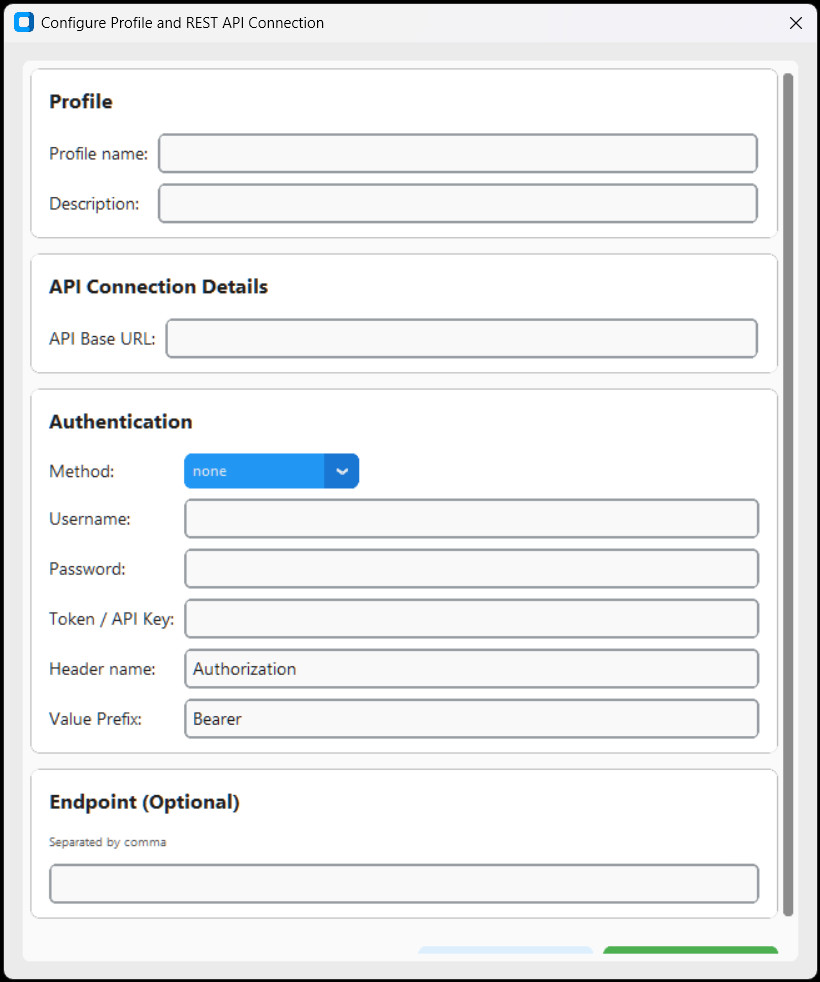
Connect to any REST API. Configure base URL, authentication method (None, Basic, Bearer, API Key, OAuth2), custom headers and endpoint.
- API Base URL – API base URL
- Method – Authentication method: none, basic, bearer, apikey, oauth2
- Username / Password – For Basic authentication
- Token / API Key – For Bearer or API Key authentication
- Header name / Value Prefix – Header customization (e.g.,
Authorization: Bearer ...) - Endpoint – Specific endpoints (comma-separated)
Servizio OData
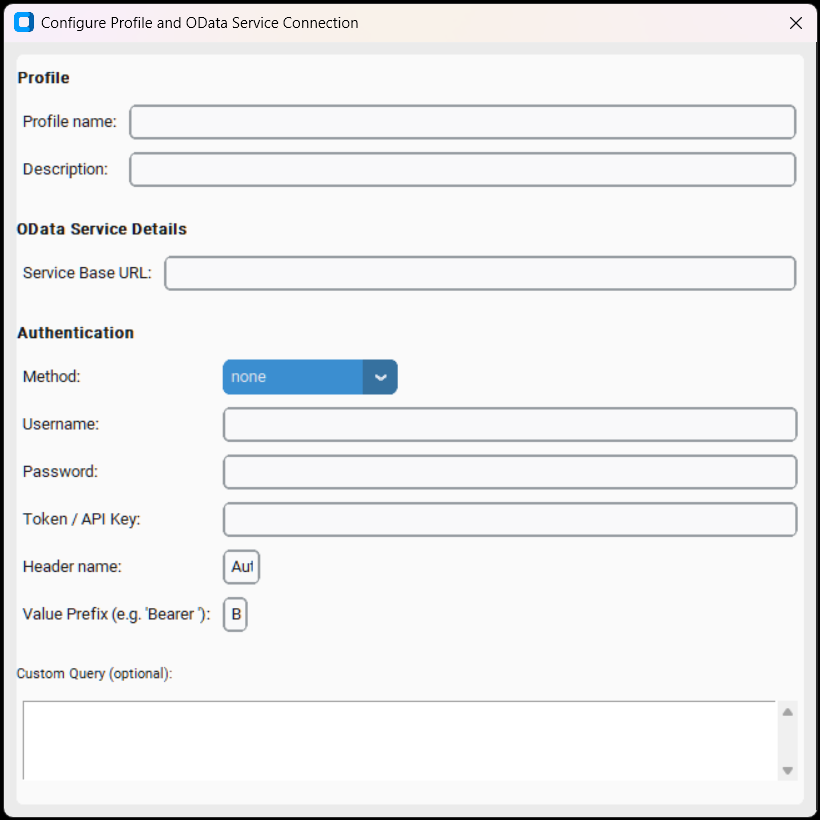
Connect to OData (Open Data Protocol) services. Web standard for RESTful APIs, used in SAP, Microsoft Dynamics and others.
- Service Base URL – OData service URL
- Method – Authentication: none, basic, bearer, apikey
- Custom Query – Custom OData filter
Web Service SOAP (WSDL)
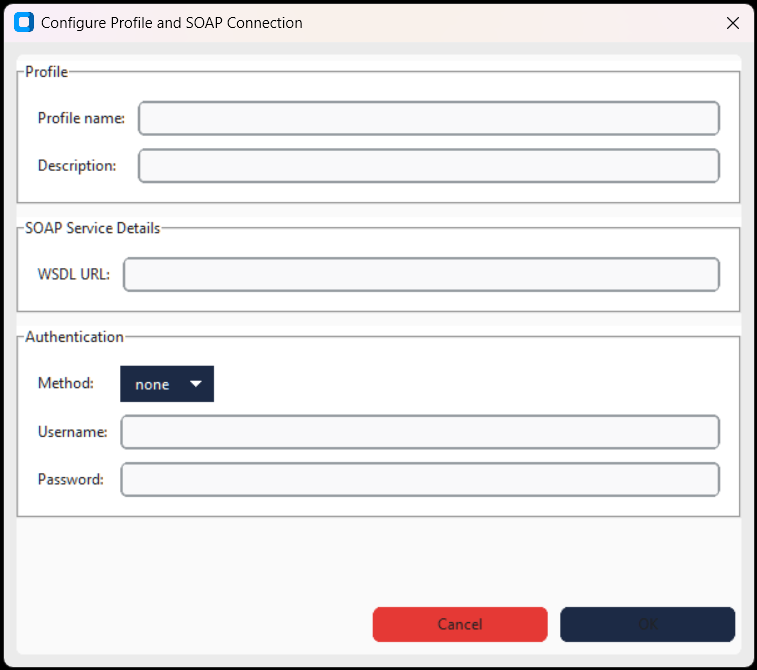
Connect to SOAP web services via WSDL descriptor. Supports WS-Security authentication.
- WSDL URL – WSDL file URL
- Username / Password – WS-Security credentials (optional)
Google Sheets
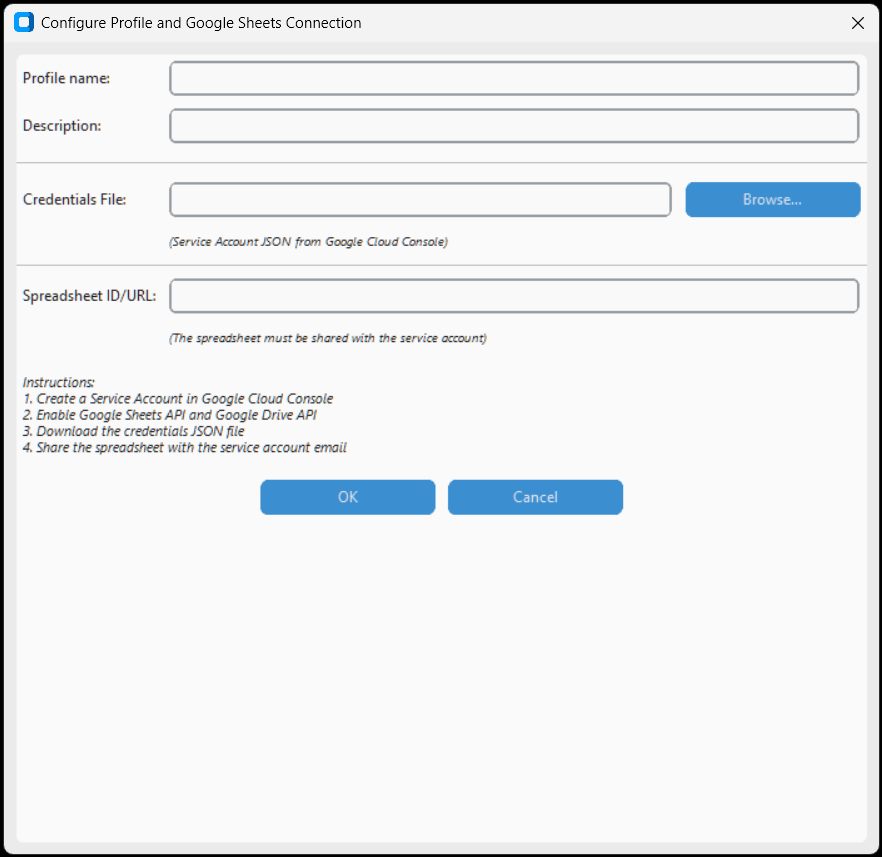
Import data from Google Sheets. Authentication via Google service account credentials JSON file.
- Credentials JSON file – Google service account credentials JSON file
- Spreadsheet ID – Google Sheet ID (from URL)
- Sheet name – Name of specific sheet (optional)
Cloud Analytics
Google Analytics GA4
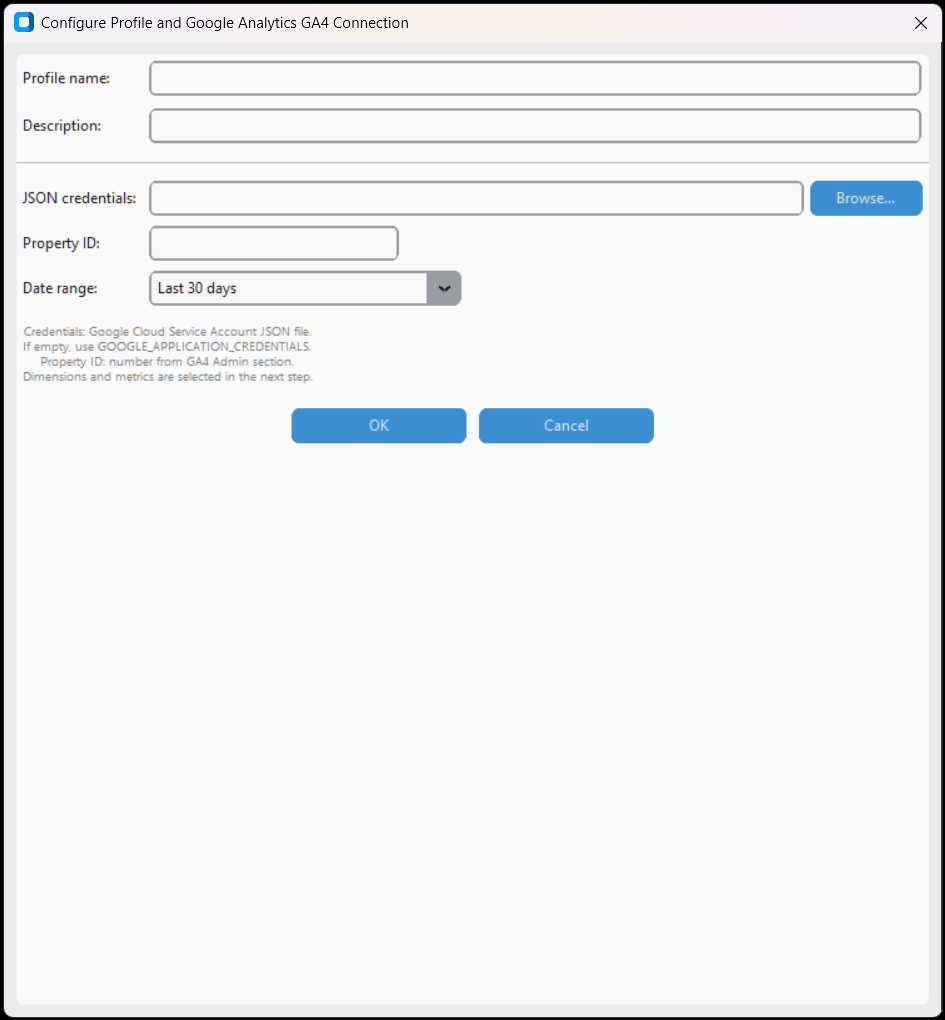
Extract data from Google Analytics 4. Configure service account credentials, Property ID, date range and desired metrics/dimensions.
- Credentials JSON file – Google service account
- Property ID – GA4 property ID
- Start date / End date – Time range
- Metrics – Metrics to extract (e.g.,
sessions,activeUsers) - Dimensions – Dimensions (e.g.,
country,pagePath)
Salesforce CRM
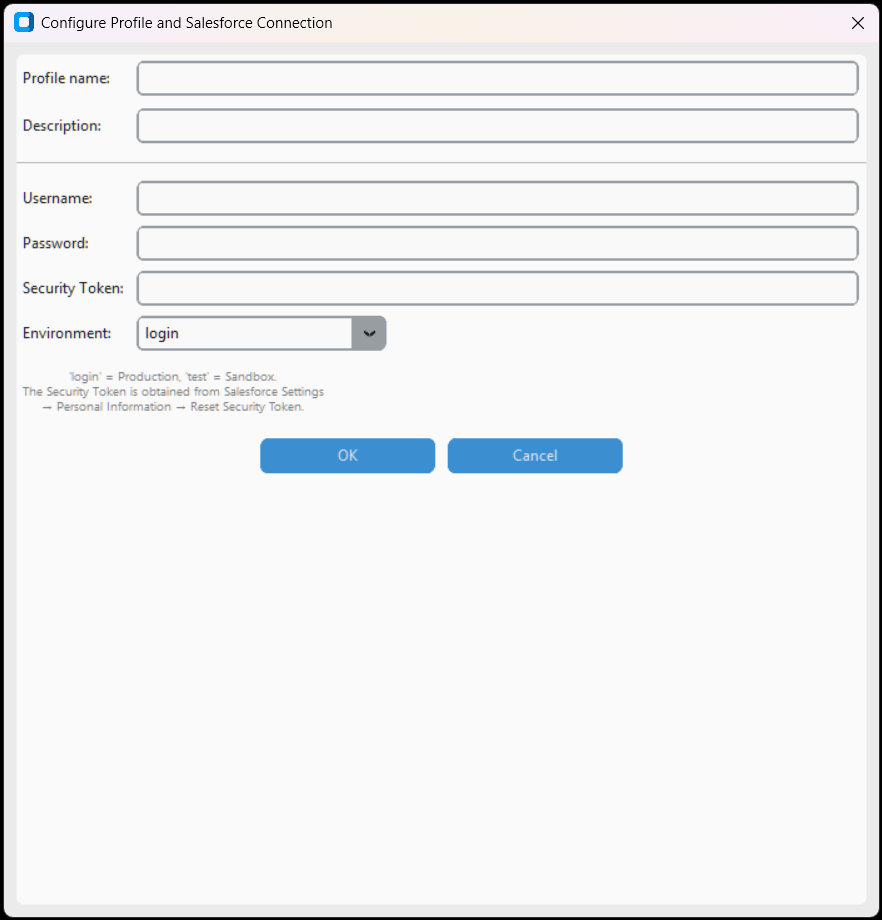
Connect to Salesforce CRM. Authentication via username, password and security token. Execute SOQL queries to extract data.
- Username – Salesforce user email
- Password – Password
- Security Token – Salesforce security token
- Domain – Domain (default:
login, for sandbox:test)
Time Series
InfluxDB
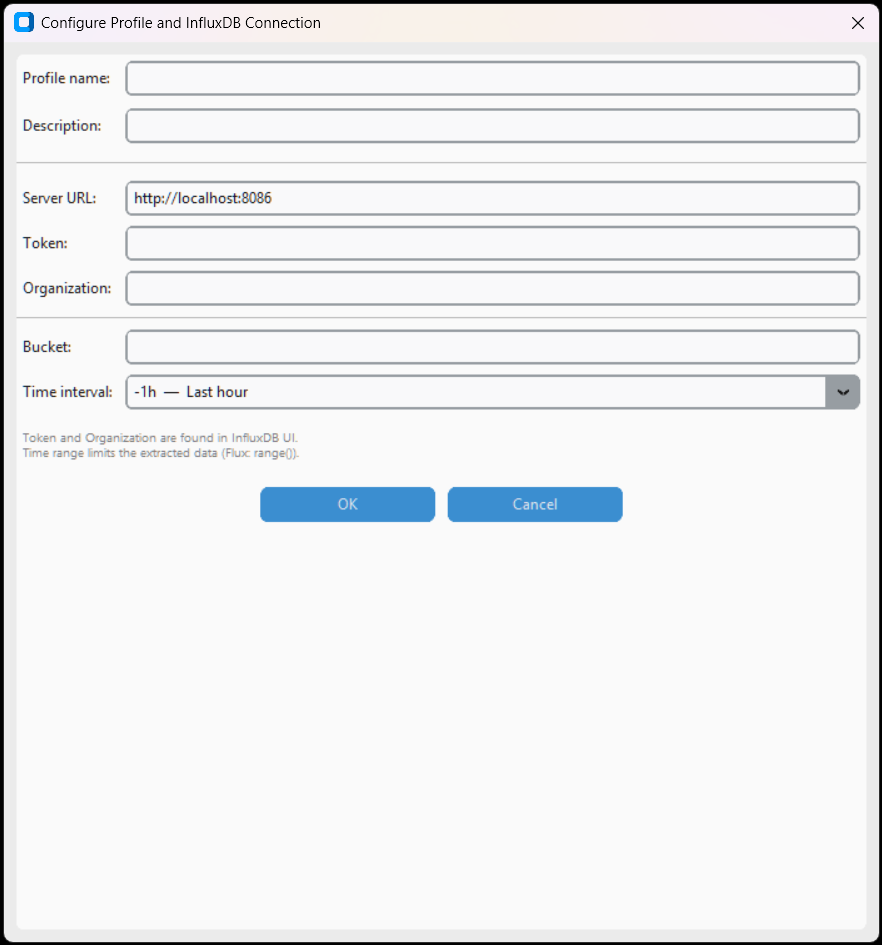
Connect to InfluxDB for time series data. Configure URL, token, organisation and bucket.
- URL – InfluxDB server URL (e.g.,
http://localhost:8086) - Token – Authentication token
- Organization – Organization name
- Bucket – Data bucket name
- Verify SSL – Verify certificate
Email and Local database
Microsoft Outlook
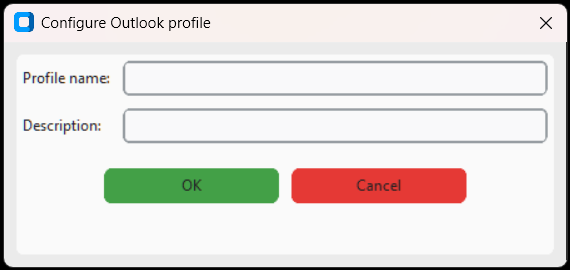
Read data from the local Outlook mailbox (contacts, emails, calendar). Requires Outlook installed.
Database Permanente (Locale)
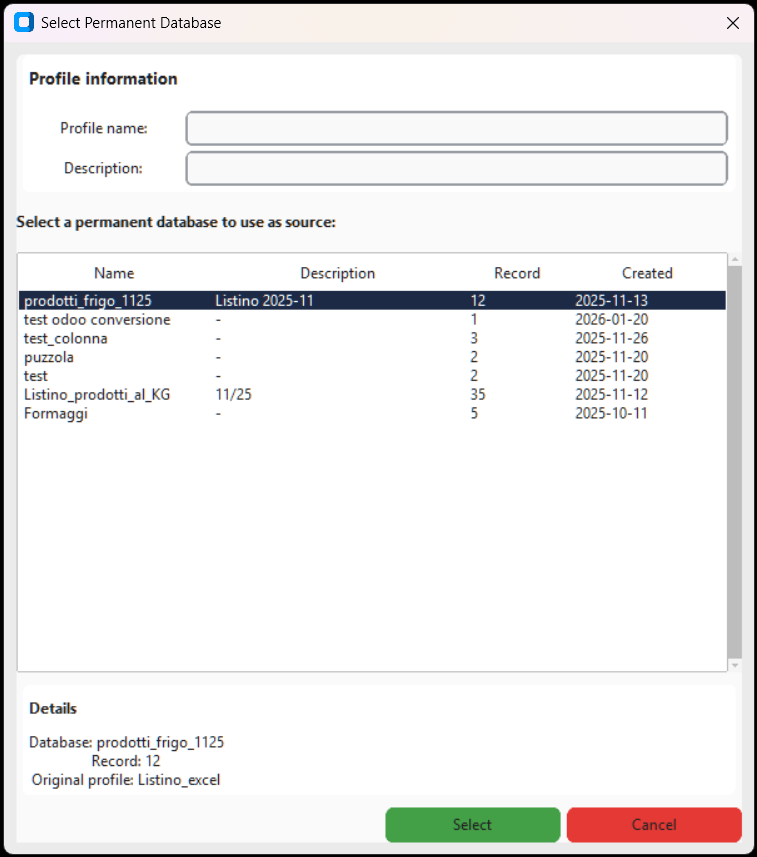
SQLite database built into the application. Create and manage persistent datasets without external sources.
- Database selection – Select an existing database or create a new one
- Import data – Import data from Excel/CSV files into permanent database
Generic connectors
ODBC Generico

Connect via ODBC driver to any compatible database. Supports DSN (Data Source Name) and direct driver connection. Ideal for sources not covered by specific connectors.
- Connection mode – DSN (preconfigured Data Source Name) or Driver + Parameters (direct connection)
- DSN – Configured DSN name on system
- ODBC driver – Installed driver. Other... lists available drivers
- Server / Database – Connection parameters
- Windows Authentication – Use Windows credentials
- RECOMMENDED: Use Read Uncommitted – Avoids database locks
- Custom Query – Custom SQL query
OLE DB Generico

Connect via OLE DB provider. Supports direct connection string and UDL (Universal Data Link) files. Windows only.
- Connection mode – Provider String (connection string) or Data Link File (.udl)
- OLE DB Provider – Installed provider (e.g., Microsoft.ACE.OLEDB.12.0)
- UDL file path – Preconfigured Universal Data Link file
- Credentials – Optional username/password (override string)
- Enable Database Performance Optimization – Read Uncommitted
- Custom Query – Custom SQL query
JDBC Generico
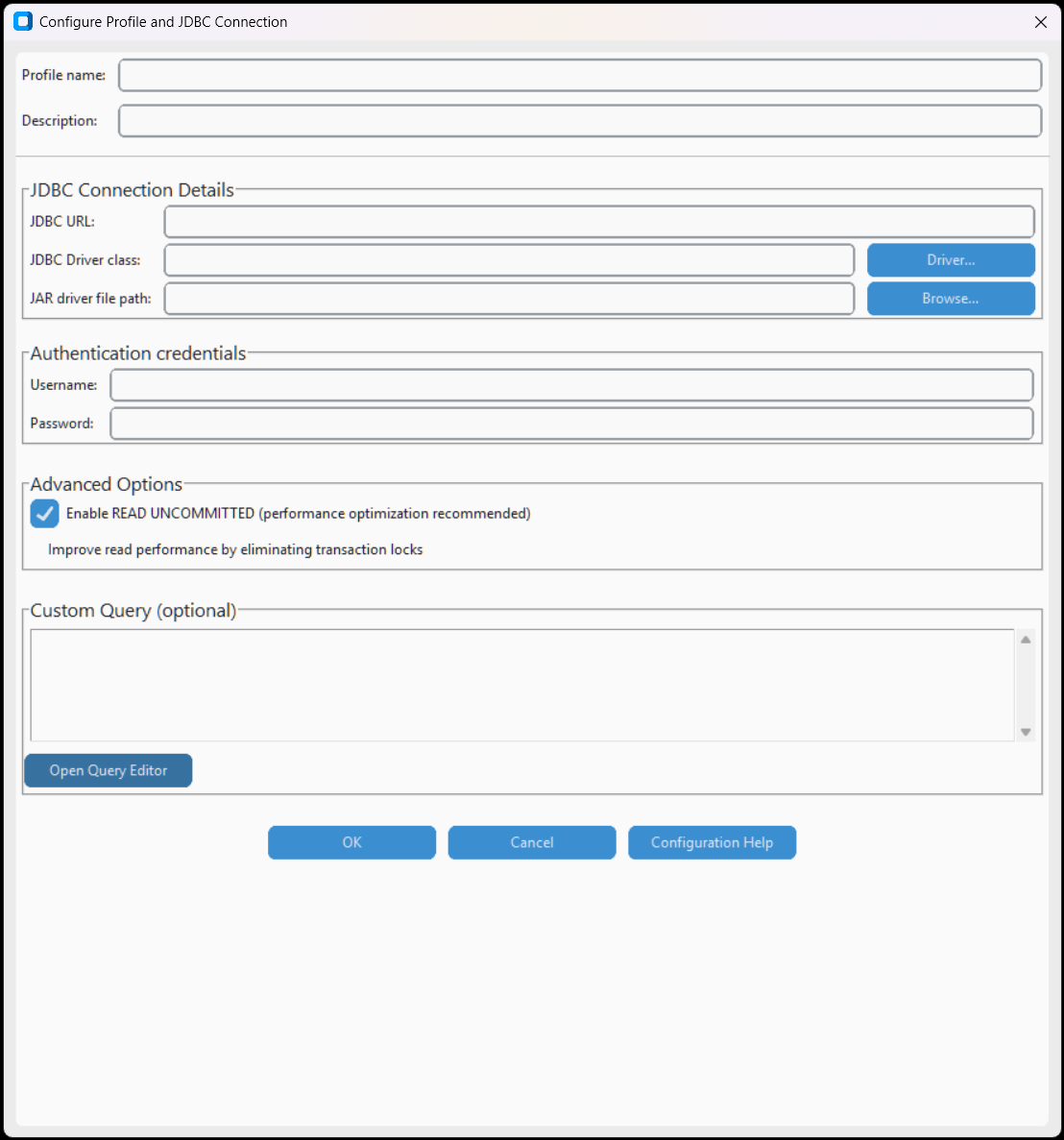
Connect via JDBC (Java) driver. Requires JRE installed and driver JAR file. Supports any database with an available JDBC driver.
- JRE path – Path to Java installation
- JAR file – JDBC driver .jar file
- JDBC URL – JDBC connection URL (e.g.,
jdbc:mysql://host:3306/db) - Driver class – Java driver class
- Username / Password – Credentials
- Custom Query – Custom SQL query